BookmarkSubscribeRSS Feed
itchyeyeballs
Pyrite | Level 9

Hi all,


Making a first attempt to use the theme designer but struggling to get it to do what I want.


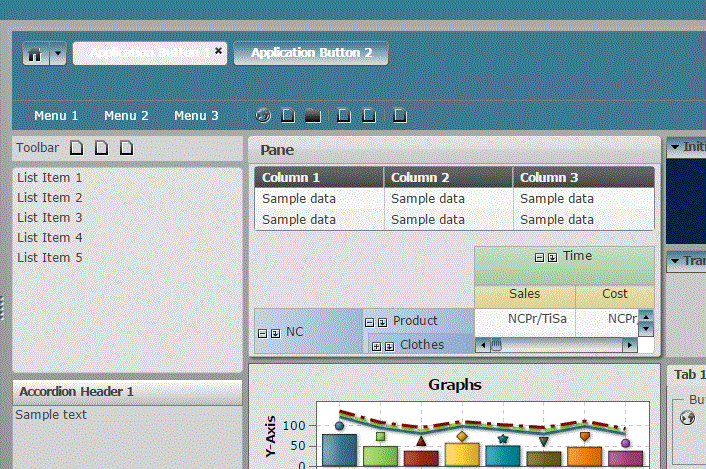
I'm trying to set the page background to light gray and leave the chart objects white. I've got it working in the designer but the gray background doesn't show up in reports (everything stays white)


SAS_Theme.GIF


Also I cant find the section to set the colour of a selected button in the header (the one in the sample above shows its stuck on grey)


any tips appreciated


1 REPLY 1
jltz83
Obsidian | Level 7

I'm currently struggling working with the Theme Designer in 7.4. I've found that to change the background behind the Graphs object, I need to use the Application Frame component. The Color seems to affect the Report Designer view, while the Gradient colors need to be changed in order for it to affect the Report Viewer.

sas-innovate-2026-white.png


April 27 – 30 | Gaylord Texan | Grapevine, Texas

Registration is open

Walk in ready to learn. Walk out ready to deliver. This is the data and AI conference you can't afford to miss.
Register now and lock in 2025 pricing—just $495!

Register now

Tips for filtering data sources in SAS Visual Analytics

See how to use one filter for multiple data sources by mapping your data from SAS’ Alexandria McCall.

Find more tutorials on the SAS Users YouTube channel.

Discussion stats
  • 1 reply
  • 1144 views
  • 0 likes
  • 2 in conversation