
BookmarkSubscribeRSS Feed
ABDULWASAY
Calcite | Level 5

Hello Guys;

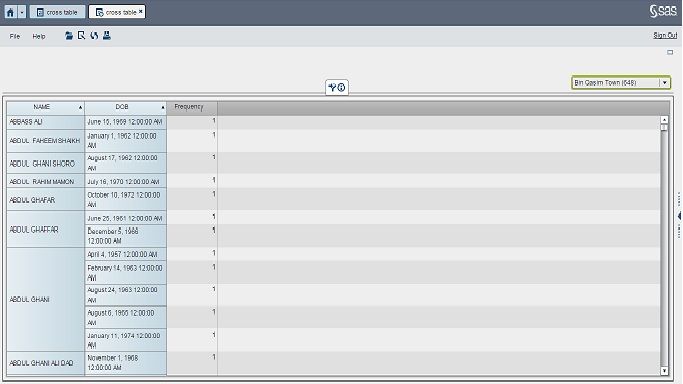
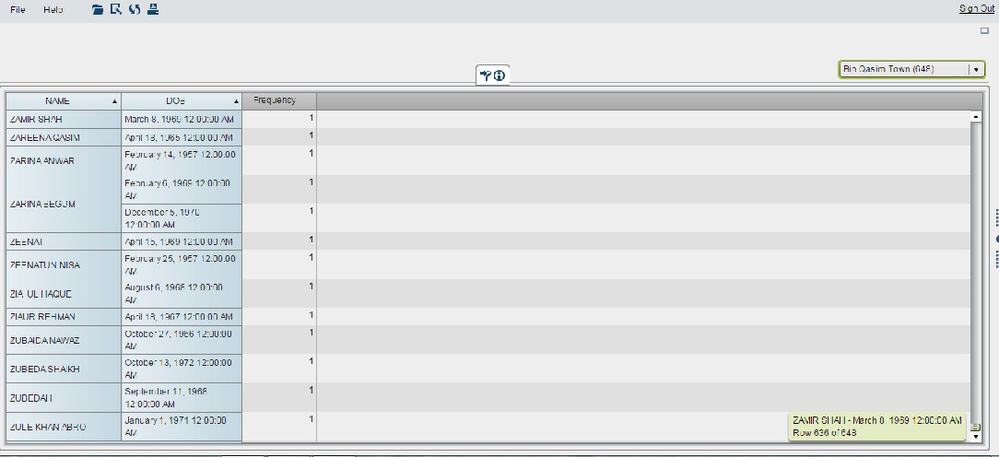
I would like to know how can i print all the values/data shown in crosstab to pdf on one go? Kindly tell me the step to step guidline to perfom this job as currently it only print only those records which are showing on screen not the whole data.

Note: Attach are the screenshots of my data 1st record (crosstable 1.jpg) and last record (corss table2.jpg). How can you print the whole data in PDF.


Regards;

Abdul Wasay Iqbal


cross table 1.jpgcross table 2.jpg
1 REPLY 1
Sam_SAS
SAS Employee

Hello Abdul,

The option to expand a crosstab in PDF output (Expand clipped content) was added in Visual Analytics 7.3.

This thread has some more information:

https://communities.sas.com/t5/SAS-Visual-Analytics/Printing-to-PDF-in-7-3/m-p/226425/highlight/true...


I hope that helps,

Sam

sas-innovate-2026-white.png


April 27 – 30 | Gaylord Texan | Grapevine, Texas

Registration is open

Walk in ready to learn. Walk out ready to deliver. This is the data and AI conference you can't afford to miss.
Register now and lock in 2025 pricing—just $495!

Register now

Tips for filtering data sources in SAS Visual Analytics

See how to use one filter for multiple data sources by mapping your data from SAS’ Alexandria McCall.

Find more tutorials on the SAS Users YouTube channel.

Discussion stats
  • 1 reply
  • 1698 views
  • 0 likes
  • 2 in conversation