- Home
- /
- Programming
- /
- Programming
- /
- Re: Warning Message
- RSS Feed
- Mark Topic as New
- Mark Topic as Read
- Float this Topic for Current User
- Bookmark
- Subscribe
- Mute
- Printer Friendly Page


- Mark as New
- Bookmark
- Subscribe
- Mute
- RSS Feed
- Permalink
- Report Inappropriate Content
WARNING
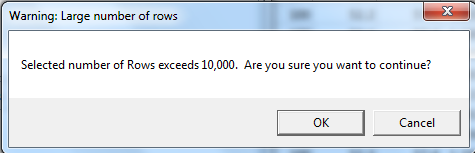
Is there a way to prevent this message "Warning, large number of rows" popping up as I do exceed this number often?


- Mark as New
- Bookmark
- Subscribe
- Mute
- RSS Feed
- Permalink
- Report Inappropriate Content
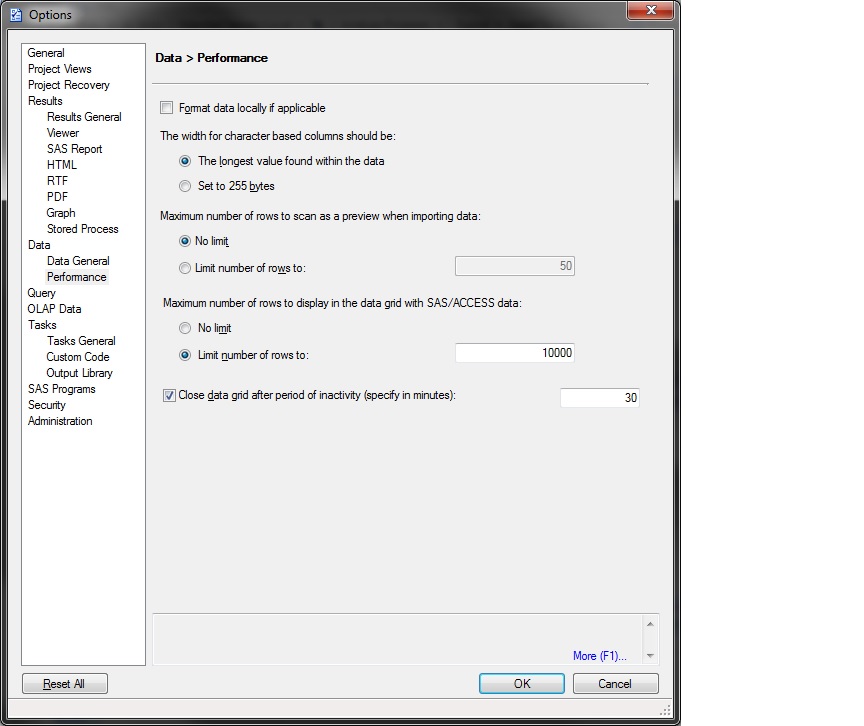
If you're using Enterprise Guide and receiving this message, you can adjust the maximum number of rows to display. The option is under Tools - Options - Performance - Maximum number of rows to display...
- Mark as New
- Bookmark
- Subscribe
- Mute
- RSS Feed
- Permalink
- Report Inappropriate Content
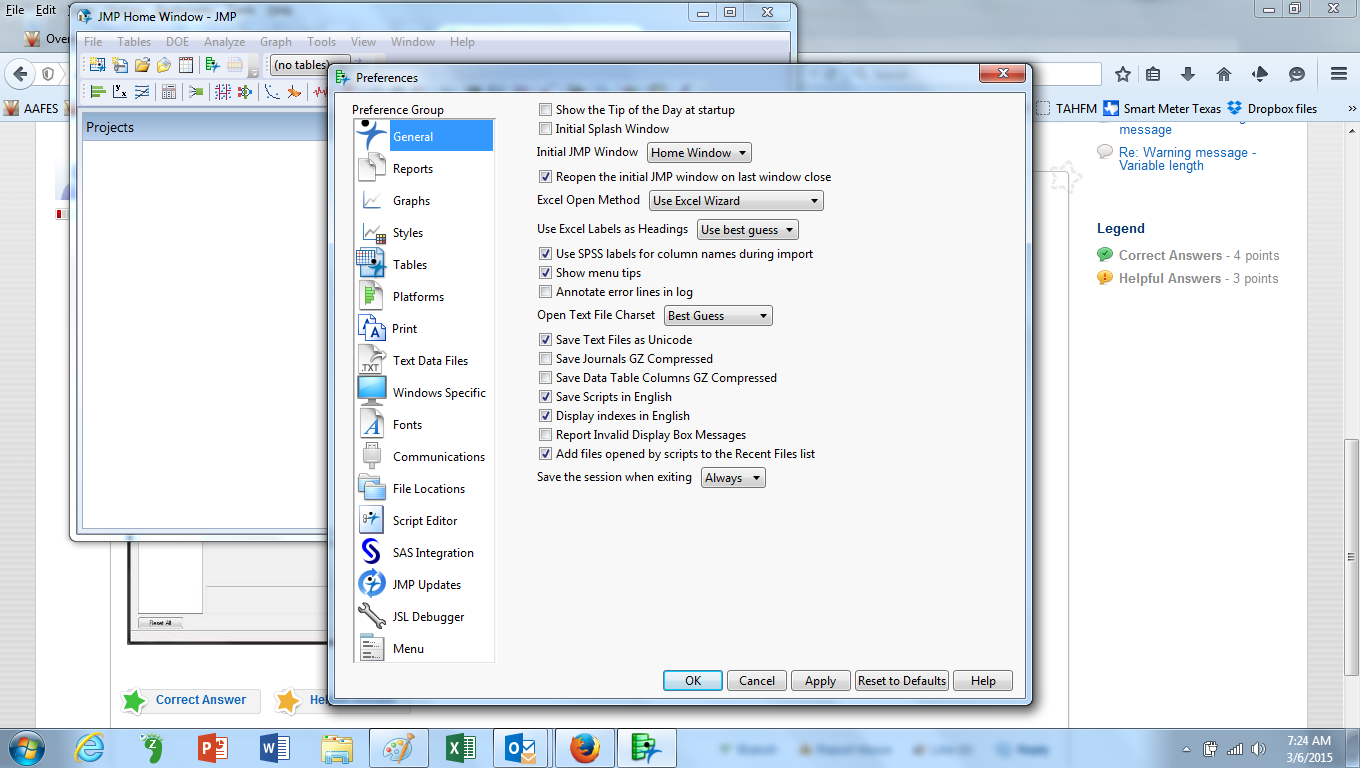
I am using JMP version 11.2.1 and don't think it's an Enterprise Guide as I have no option under Tools. All my preferences are File, Preferences


- Mark as New
- Bookmark
- Subscribe
- Mute
- RSS Feed
- Permalink
- Report Inappropriate Content
If you're using JMP, try posting the question into the JMP community:
You'll get a better response there, and you'll also probably learn a bunch of other great JMP tips!
Chris
- Mark as New
- Bookmark
- Subscribe
- Mute
- RSS Feed
- Permalink
- Report Inappropriate Content
Great. Thanks for the heads up Chris.

Catch up on SAS Innovate 2026
Nearly 200 sessions are now available on demand in the Innovate Hub.
Watch Now →Learn how use the CAT functions in SAS to join values from multiple variables into a single value.

Find more tutorials on the SAS Users YouTube channel.
SAS Training: Just a Click Away
Ready to level-up your skills? Choose your own adventure.
-
4 replies
-
03-05-2015 09:08 AM
-
2971 views
-
0 likes
-
3 in conversation
-


