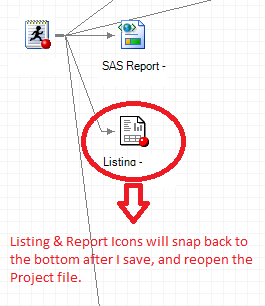
I have disabled autoarrange in the Process Flow. When I move certain Listings or Reports to make the Process Flow appear more organized, they will snap back to the bottom after I save the Project then reopen it later. Program and Data Set Icons stay in the same place I left them, but not some of the Listing and SAS Report Icons in a Process Flow. Is this normal? Is there anything I can do to make the changes I make permanent?
Also is there any way to scroll down the grid faster or move the icons more quickly without using the mouse so much? I.e., Page Up/Page Down/Home/End keys on the keyboard or other shortcut keys that are used to arrange or format forms, etc. in software like MS Access? Maybe Shift+Left to move all selected icons to the left, etc. Or something that will align all selected icons to the furthest left similar to MS Access Forms formatting features?





