- Home
- /
- Programming
- /
- Enterprise Guide
- /
- Re: How to fix blur and big text in enterprise guide editor
- RSS Feed
- Mark Topic as New
- Mark Topic as Read
- Float this Topic for Current User
- Bookmark
- Subscribe
- Mute
- Printer Friendly Page


- Mark as New
- Bookmark
- Subscribe
- Mute
- RSS Feed
- Permalink
- Report Inappropriate Content
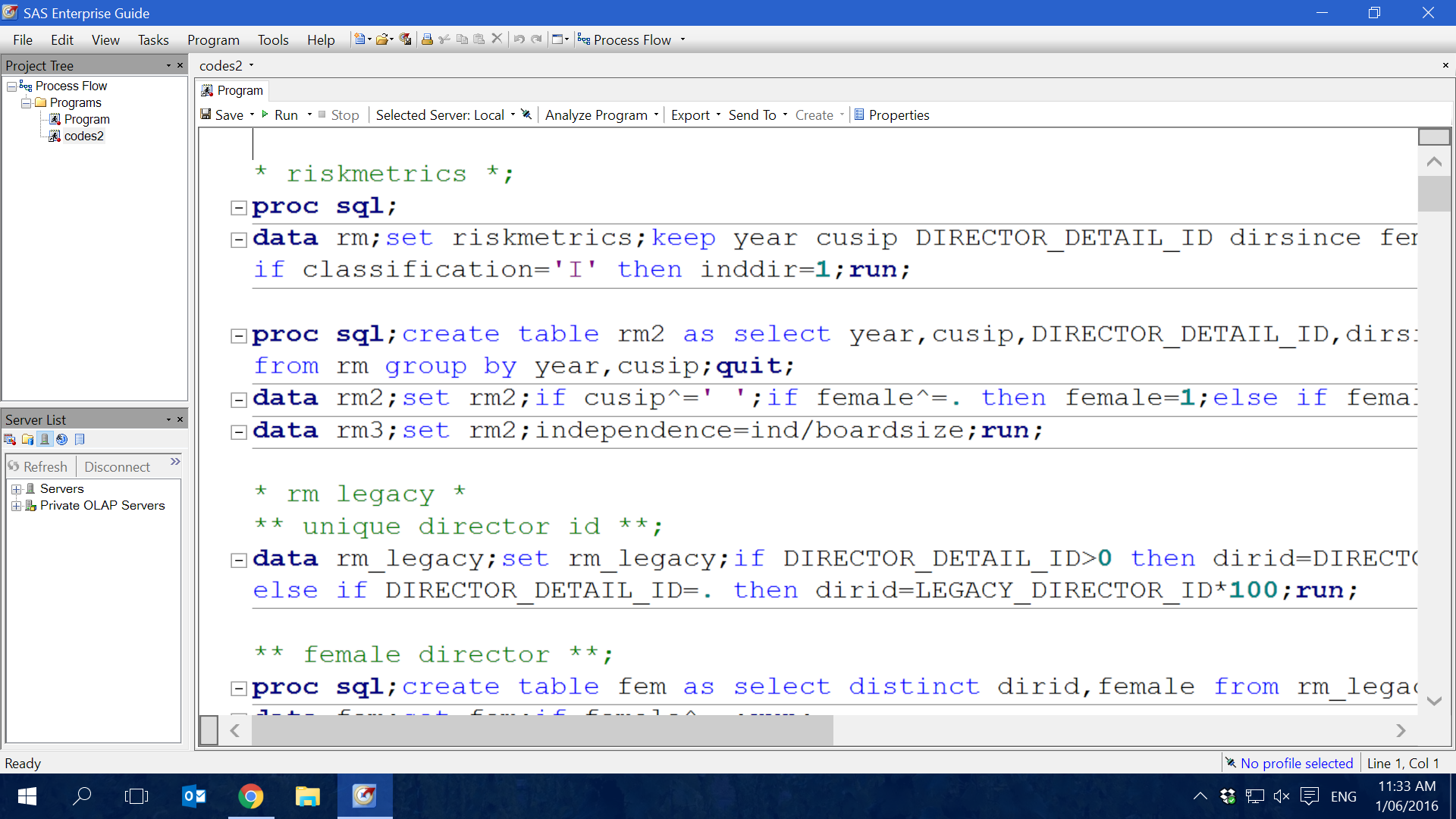
As the picture suggested, this is the default editor settings. it is big and blur.
I dont worry about the big, because the font size can be easily changed, but the blurring text is really annoying me.
it seems the resolution for the editor is not correctly set.
I tried methods on the web but none of them work.
I am running enterprise guide 6.1 on windows 10 64 bit.
Thanks for helping.


- Mark as New
- Bookmark
- Subscribe
- Mute
- RSS Feed
- Permalink
- Report Inappropriate Content
I don't see any blurring. If the posted example is actually a good representation of what you see perhaps your monitor settings have something set too high or low
- Mark as New
- Bookmark
- Subscribe
- Mute
- RSS Feed
- Permalink
- Report Inappropriate Content
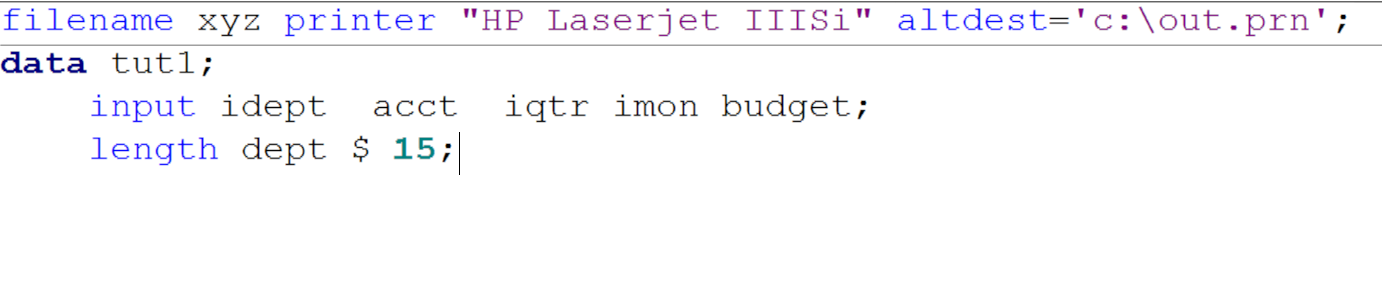
Thank you for answer, i now post a zoomed picture. You can see the fuzzy text. Below that, I post the "preview" under the editor option -> appearance tab. you can see the comparison. the difference is bigger in what I am actually seeing.



- Mark as New
- Bookmark
- Subscribe
- Mute
- RSS Feed
- Permalink
- Report Inappropriate Content
Certain Windows settings such as ClearType might have an impact, too. See, for example, this older thread.
- Mark as New
- Bookmark
- Subscribe
- Mute
- RSS Feed
- Permalink
- Report Inappropriate Content
I tried to turn on and off ClearType, no luck.
The font is not only blur but also large. seems it is not caused by windows settings but the editor's specific setting.


- Mark as New
- Bookmark
- Subscribe
- Mute
- RSS Feed
- Permalink
- Report Inappropriate Content
Several years ago I swtiched to using Consolas (a clear type font from Microsoft) and never looked back. It's a great font for programmers.

April 27 – 30 | Gaylord Texan | Grapevine, Texas
Registration is open
Walk in ready to learn. Walk out ready to deliver. This is the data and AI conference you can't afford to miss.
Register now and lock in 2025 pricing—just $495!
Check out this tutorial series to learn how to build your own steps in SAS Studio.

Find more tutorials on the SAS Users YouTube channel.
SAS Training: Just a Click Away
Ready to level-up your skills? Choose your own adventure.
-
5 replies
-
05-31-2016 09:40 PM
-
3572 views
-
1 like
-
4 in conversation
-


