- Home
- /
- Programming
- /
- Enterprise Guide
- /
- EG Error -Red Lines
- RSS Feed
- Mark Topic as New
- Mark Topic as Read
- Float this Topic for Current User
- Bookmark
- Subscribe
- Mute
- Printer Friendly Page


- Mark as New
- Bookmark
- Subscribe
- Mute
- RSS Feed
- Permalink
- Report Inappropriate Content
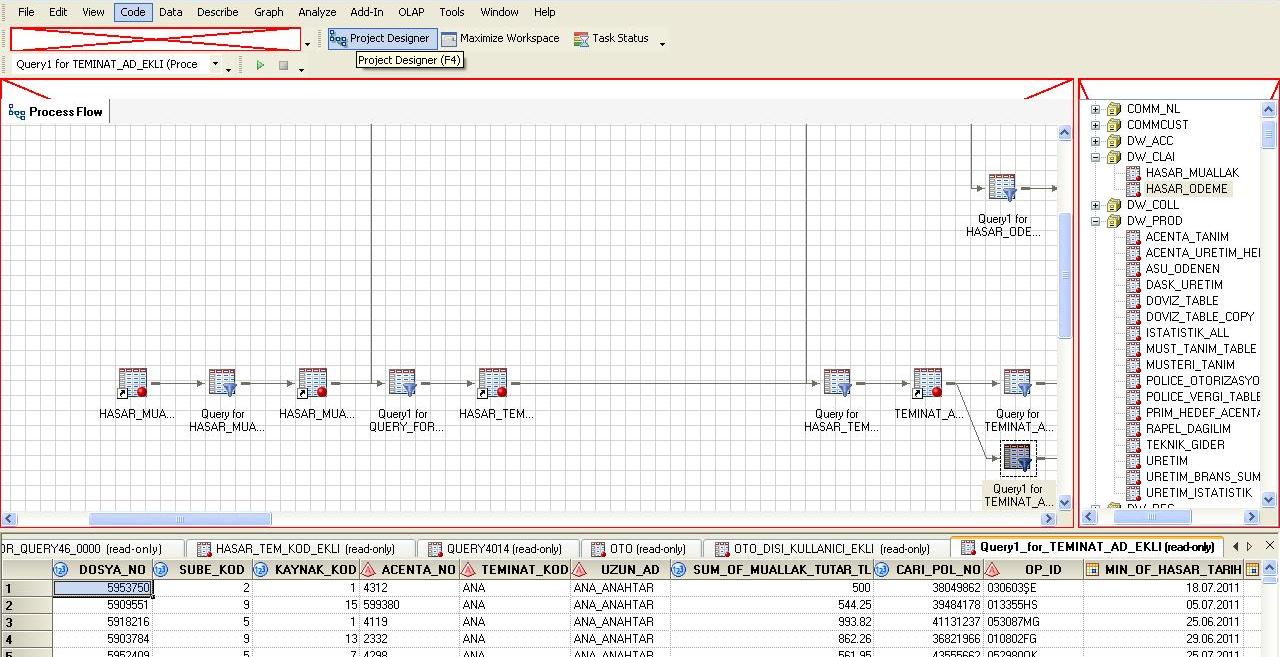
While working on a project flow, I've received the following EG error which drew red lines around tables.
Anyone knows the possible cause of this error?


- Mark as New
- Bookmark
- Subscribe
- Mute
- RSS Feed
- Permalink
- Report Inappropriate Content
I've not seen it before. However, I would guess that you could find an error message in Quiery1_for_TERMINAT... which is where it appears to have been when it croaked.


- Mark as New
- Bookmark
- Subscribe
- Mute
- RSS Feed
- Permalink
- Report Inappropriate Content
It's a limitation in EG 4.1. Basically, you probably have a very complex project/process flow and it represents lots of things to draw on the screen, and the process runs out of resources to do so.
It's much better in EG 4.2 and 4.3. If you must stay with EG 4.1, you can avoid the issue by creating a series of smaller projects instead of one very huge project. Or, you might be able to use a large project for a while, but occasionally save your work, restart EG and reload the project.
Chris
- Mark as New
- Bookmark
- Subscribe
- Mute
- RSS Feed
- Permalink
- Report Inappropriate Content
Dear Chris,
Let me clarify one point which is I am receiving above-mentioned error in EG 4.2..
- Mark as New
- Bookmark
- Subscribe
- Mute
- RSS Feed
- Permalink
- Report Inappropriate Content
The screen shot that you attached to the first message is from EG 4.1. Are you seeing the exact same error in a 4.2 installation as well?
Perhaps it's best resolved by contacting SAS Technical Support.
Chris


- Mark as New
- Bookmark
- Subscribe
- Mute
- RSS Feed
- Permalink
- Report Inappropriate Content
Hi Chris,
I too have definitely seen this phenomenon in EG 4.3 on a handful of occasions. To be honest, I cant say I can see a consistent reason for it. I usually just close and reopen.
Regards,
Nick

Call for content now open!
It's your turn to help shape SAS Innovate 2027. Share your expertise and inspire the SAS community.
Check out this tutorial series to learn how to build your own steps in SAS Studio.

Find more tutorials on the SAS Users YouTube channel.
SAS Training: Just a Click Away
Ready to level-up your skills? Choose your own adventure.
-
5 replies
-
08-16-2011 07:43 AM
-
3523 views
-
0 likes
-
4 in conversation
-


