In the External File definition you can use a '*' as wildcard to pick up all files following a naming pattern:
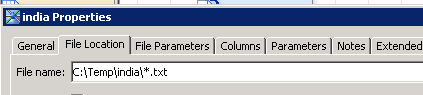
If there are not too many countries then I would keep things simple. Store your source files in a separate folder per country, define an external file definition per country and run it as a separate job per country.

Store the extracted data in a staging table per country (or if you have a data base which allows for concurrent insert then it could be a single table). Then run all the extract jobs in parallel (or whatever is right for your case). If extracting into a staging table per country then run in the end a single job which appends all the data (or which creates a view over all the country staging tables).
What would be nice to have is also a variable which tells you from which source file the data has been sourced. On a coding level this could look like below:
data india;
length source_file _source_file $50;
infile 'C:\temp\india\*.txt' truncover dlm=',' dsd FILENAME=_source_file;
input var $;
source_file=_source_file;
run;
I haven't found a way to define an external file in a way that such code gets generated except if overwriting the generated INFILE statement under "File Parameters/Advanced/Override generated..." and then add something like:
length source_file _source_file $50;
infile 'C:\Temp\india\*.txt'
lrecl = 256
delimiter = ','
dsd
missover
firstobs = 1
filename=_source_file;
source_file=_source_file;