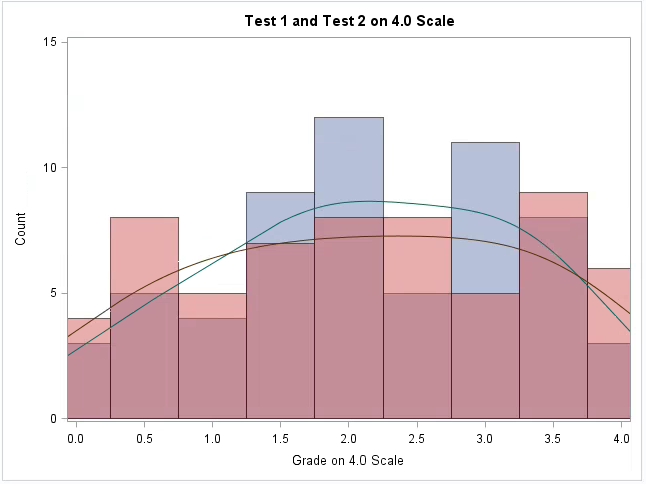
I am trying to create two histograms overlayed on one plot with their respective kernels. I want the variables in the legend, but I do NOT want the curve labels in the legend. I have tried using the KEYLEGEND feature, but when the commented out line is included, the entire legend is removed. Any help would be much appreciated.
PROC SGPLOT DATA=ALLFAKE;
HISTOGRAM GRADE1 / SCALE=COUNT BINSTART=0 BINWIDTH=0.5 TRANSPARENCY=0.5 LEGENDLABEL="Test 1";
HISTOGRAM GRADE2 / SCALE=COUNT BINSTART=0 BINWIDTH=0.5 TRANSPARENCY=0.5 LEGENDLABEL="Test 2";
DENSITY GRADE1 / TYPE=KERNEL ;
DENSITY GRADE2 / TYPE=KERNEL;
XAXIS label="Grade on 4.0 Scale" VALUES=(0 to 4 by 0.5);
YAXIS LABEL="Count" VALUES=(0 to 15 by 5);
Title "Test 1 and Test 2 on 4.0 Scale";
*KEYLEGEND "Grade1" "Grade2";
RUN;