BookmarkSubscribeRSS Feed
yovin_jv
Calcite | Level 5

Hello..

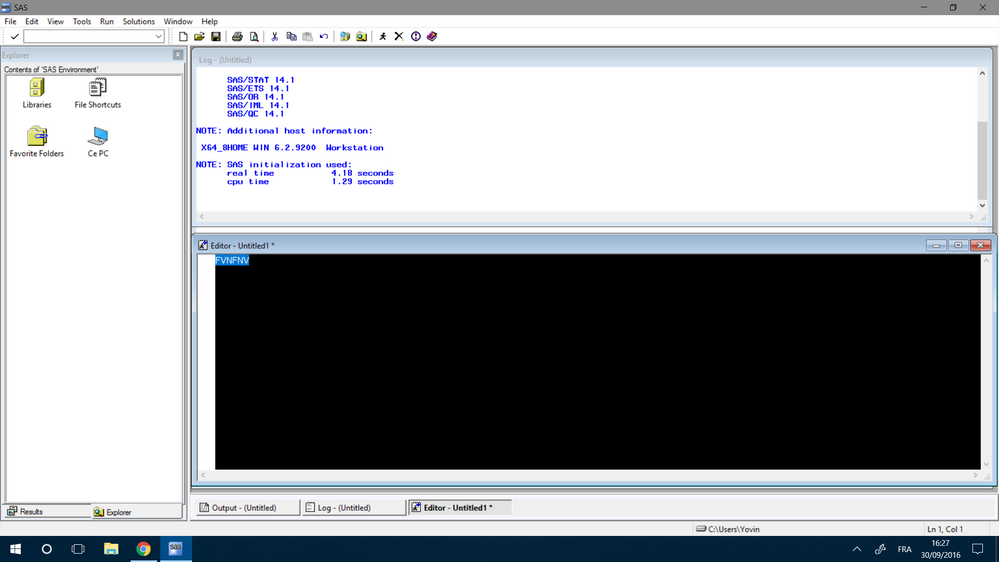
Just installed the SAS 9.4. My editor window color is black and so is the font. Can anyone please advise how i may change the editor window background color or any prob with my version, Windows 10 64 b. Tx


2016-09-30.png
3 REPLIES 3
ballardw
Super User

The first thing is to go to th TOOLS menu, then Options and Enhanced editor. There should be a number of different schemes to select that set appearance for the Editor. Make sure that File Type is set to SAS Program File. Check to see if Default is available in the drop down list for Scheme.


You may also use this wizard to customize the appearance.

masud
Calcite | Level 5

Hi,

I have got the same problem in my SAS background. I followed your guidances as tools>options>Enhanced editor but there was only one unchangeable option in the dialog box (please find attached). The problem remained unsolved.

Best regards, Masoud


Skizze1.png
black_sun
Fluorite | Level 6

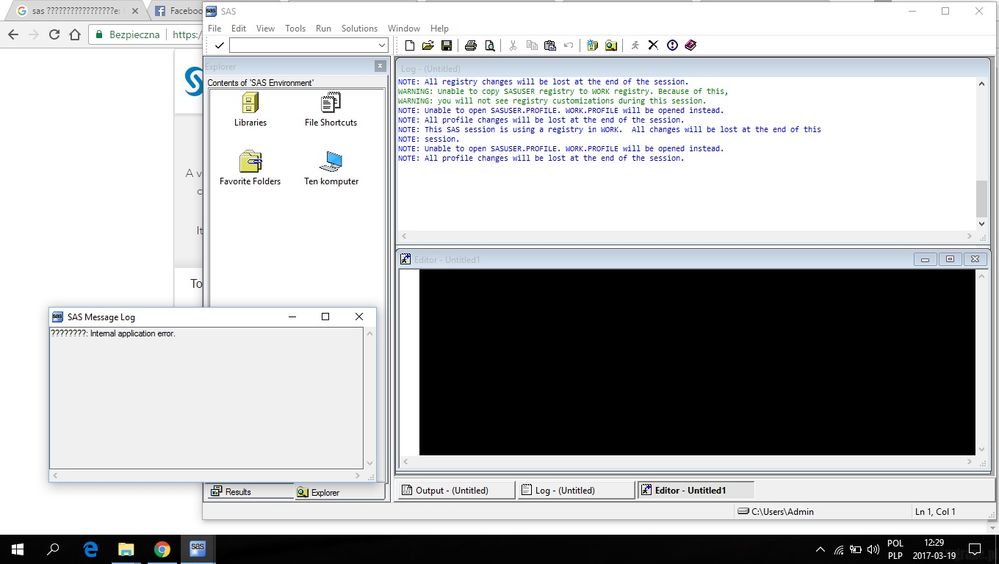
I have the same problem. Did you find out how to solve this problem?

https://communities.sas.com/t5/SAS-Studio/black-colour-of-editor-amp-internal-application-error-Wind...


sas.jpg

sas-innovate-2026-white.png


April 27 – 30 | Gaylord Texan | Grapevine, Texas

Registration is open

Walk in ready to learn. Walk out ready to deliver. This is the data and AI conference you can't afford to miss.
Register now and save with the early bird rate—just $795!

Register now

Discussion stats
  • 3 replies
  • 7596 views
  • 2 likes
  • 4 in conversation