- Home
- /
- Programming
- /
- SAS Studio
- /
- Re: Localhost 10080 refused to connect
- RSS Feed
- Mark Topic as New
- Mark Topic as Read
- Float this Topic for Current User
- Bookmark
- Subscribe
- Mute
- Printer Friendly Page


- Mark as New
- Bookmark
- Subscribe
- Mute
- RSS Feed
- Permalink
- Report Inappropriate Content
I have installed Sas studio for the first time .While I opened http://localhost:10080 at browser,I am getting error-Localhost refused to connect. Please help to rsolve it.(have 64 bit,windows 7, 2GB RAM)
Things I tried to resolve:
-->downloaded XAMPP
--> tried to change 10080 to some different numeber- 8080 (got this from internet surfing)
all my attempts were waste. I still not able to open sas studio 😞 .Please help !


- Mark as New
- Bookmark
- Subscribe
- Mute
- RSS Feed
- Permalink
- Report Inappropriate Content
Are you trying in Chrome? Try different browser instead.
Suryakiran
- Mark as New
- Bookmark
- Subscribe
- Mute
- RSS Feed
- Permalink
- Report Inappropriate Content
Hello,
I tried to open in Explorer, it doesn't get open. I even tried changing different network(VirtualBox-->Setting-->Network) NAT/Bridged Adapter/host only Adapter, But still none of them worked.
Any help will be appreciated.
Thanks.


- Mark as New
- Bookmark
- Subscribe
- Mute
- RSS Feed
- Permalink
- Report Inappropriate Content
So you have the black screen with the URL and it's not working when you enter the URL?
Did it ever work, or is this a new installation that did not work?
Did you modify any (Operating System, RAM) of the VM settings before starting it up?
It would help if you could show some screenshots of what's happening.


- Mark as New
- Bookmark
- Subscribe
- Mute
- RSS Feed
- Permalink
- Report Inappropriate Content
Hi, I'm also facing the same problem while trying to access the link https://localhost:10080/ through chrome/ie. Not able to connect and throwing the error.
I'm using windows 10 pro.
downloaded: 1. VirtualBox-5.2.18-124319
2. unvbasicvapp_9411014_ova_en_sp0_1

- Mark as New
- Bookmark
- Subscribe
- Mute
- RSS Feed
- Permalink
- Report Inappropriate Content
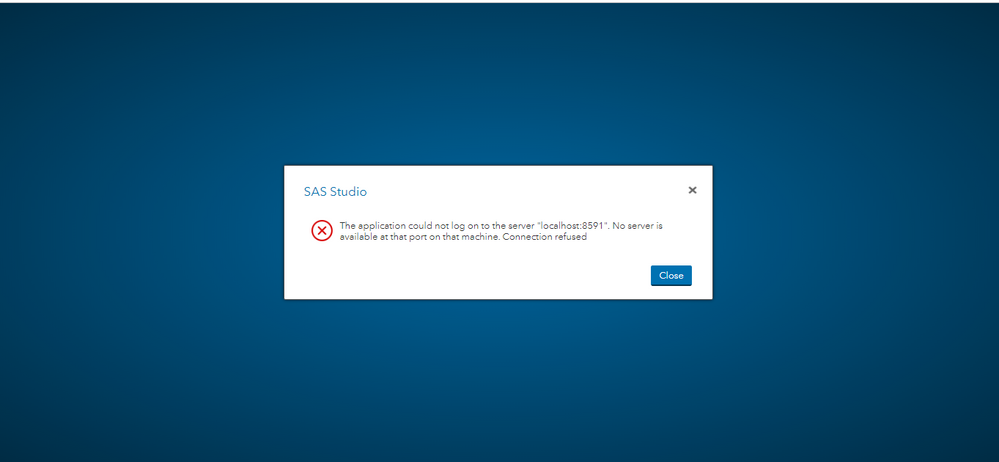
I am facing the problem. Here I attached the screenshot.
I am facing the same problem
- Mark as New
- Bookmark
- Subscribe
- Mute
- RSS Feed
- Permalink
- Report Inappropriate Content
- Mark as New
- Bookmark
- Subscribe
- Mute
- RSS Feed
- Permalink
- Report Inappropriate Content
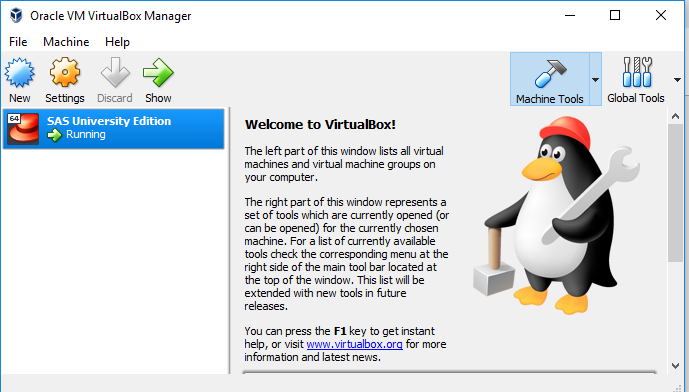
I tried with a different browser.
vm is running.
What I need to restart and how?
- Mark as New
- Bookmark
- Subscribe
- Mute
- RSS Feed
- Permalink
- Report Inappropriate Content
- Mark as New
- Bookmark
- Subscribe
- Mute
- RSS Feed
- Permalink
- Report Inappropriate Content
- Mark as New
- Bookmark
- Subscribe
- Mute
- RSS Feed
- Permalink
- Report Inappropriate Content

Catch up on SAS Innovate 2026
Nearly 200 sessions are now available on demand with the SAS Innovate Digital Pass.
Explore Now →Get started using SAS Studio to write, run and debug your SAS programs.

Find more tutorials on the SAS Users YouTube channel.
SAS Training: Just a Click Away
Ready to level-up your skills? Choose your own adventure.
-
10 replies
-
08-18-2018 12:50 PM
-
10433 views
-
1 like
-
5 in conversation
-


