- Home
- /
- Programming
- /
- Programming
- /
- Re: SAS windows arrangement
- RSS Feed
- Mark Topic as New
- Mark Topic as Read
- Float this Topic for Current User
- Bookmark
- Subscribe
- Mute
- Printer Friendly Page


- Mark as New
- Bookmark
- Subscribe
- Mute
- RSS Feed
- Permalink
- Report Inappropriate Content
Hello,
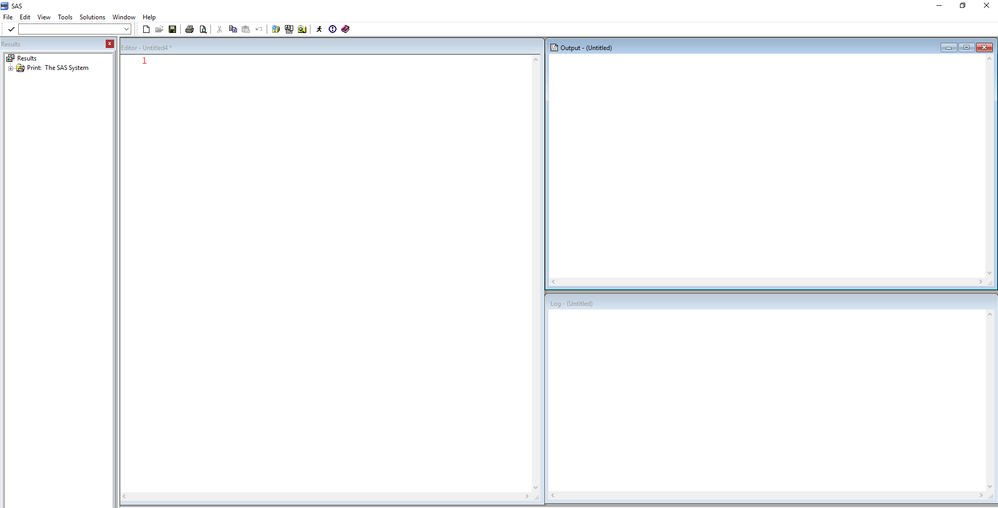
I have a problem every time I start a new SAS session. I spend time arranging the windows, as can be seen in the attached picture. Is there a way to save this layout every time I start a new session?
Thanks
Accepted Solutions


- Mark as New
- Bookmark
- Subscribe
- Mute
- RSS Feed
- Permalink
- Report Inappropriate Content
Have you tried using the menu Tools>Options>Preferences and checking the box "Save setting on exit" on the General tab?
You can at least test by arranging the windows, setting the option above, shut down SAS and restart.
If that works you may want to turn of the "save settings" otherwise if you resize any windows during a session and then shut down the new size will now become the default.
- Mark as New
- Bookmark
- Subscribe
- Mute
- RSS Feed
- Permalink
- Report Inappropriate Content
Have you tried using the menu Tools>Options>Preferences and checking the box "Save setting on exit" on the General tab?
You can at least test by arranging the windows, setting the option above, shut down SAS and restart.
If that works you may want to turn of the "save settings" otherwise if you resize any windows during a session and then shut down the new size will now become the default.
- Mark as New
- Bookmark
- Subscribe
- Mute
- RSS Feed
- Permalink
- Report Inappropriate Content
Thanks
- Mark as New
- Bookmark
- Subscribe
- Mute
- RSS Feed
- Permalink
- Report Inappropriate Content
As a related issue, there are a number of other windows that may be used such as Keys, TITLE, NOTE (or Notepad). If you use these occasionally you can position them as desired and then issue a WSAVE command to keep their location and appearance (including colors).

Call for content now open!
It's your turn to help shape SAS Innovate 2027. Share your expertise and inspire the SAS community.
Learn how use the CAT functions in SAS to join values from multiple variables into a single value.

Find more tutorials on the SAS Users YouTube channel.
SAS Training: Just a Click Away
Ready to level-up your skills? Choose your own adventure.
-
3 replies
-
05-04-2018 01:26 PM
-
5727 views
-
2 likes
-
2 in conversation
-

