- Home
- /
- Programming
- /
- Programming
- /
- SAS IDE for unix/linux server?
- RSS Feed
- Mark Topic as New
- Mark Topic as Read
- Float this Topic for Current User
- Bookmark
- Subscribe
- Mute
- Printer Friendly Page


- Mark as New
- Bookmark
- Subscribe
- Mute
- RSS Feed
- Permalink
- Report Inappropriate Content
Hello,
I've been using PC SAS to write my syntax and run the code in Linux server. My PC SAS license got expired, what are my options other than renewing PC SAS license? I tried the Notepad++ with user defined language (https://github.com/rpardee/sas) but it's not working for me. I appreciate any help.
Thanks


- Mark as New
- Bookmark
- Subscribe
- Mute
- RSS Feed
- Permalink
- Report Inappropriate Content
With a modern SAS version under Linux SAS Studio should be available to you. Talk to your SAS Admin to get access to this browser based SAS client.


- Mark as New
- Bookmark
- Subscribe
- Mute
- RSS Feed
- Permalink
- Report Inappropriate Content
SAS/EG ? I don't know if it would cost your money .


- Mark as New
- Bookmark
- Subscribe
- Mute
- RSS Feed
- Permalink
- Report Inappropriate Content
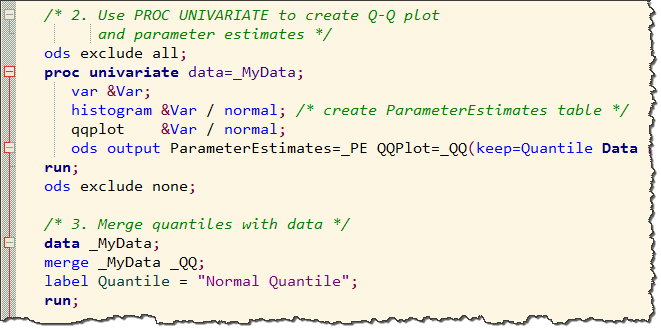
For Notepad++ instructions, try the steps in this blog post.

- Mark as New
- Bookmark
- Subscribe
- Mute
- RSS Feed
- Permalink
- Report Inappropriate Content
Are you using X-Windows? There is not really much difference between Display Manager in Windows and Display Manager in Unix. You cannot use the "enhanced" editor, but I don't really consider that much of a loss.


- Mark as New
- Bookmark
- Subscribe
- Mute
- RSS Feed
- Permalink
- Report Inappropriate Content
Hi,
If you have PC SAS then you should have SAS EG. Connect to the server in SAS EG instead of using Local Server. Once you open SAS EG click on no profile selected at bottom right and add your server info.
Suryakiran

Call for content now open!
It's your turn to help shape SAS Innovate 2027. Share your expertise and inspire the SAS community.
Learn how use the CAT functions in SAS to join values from multiple variables into a single value.

Find more tutorials on the SAS Users YouTube channel.
SAS Training: Just a Click Away
Ready to level-up your skills? Choose your own adventure.
-
5 replies
-
03-07-2018 08:57 PM
-
3811 views
-
1 like
-
6 in conversation
-


