
BookmarkSubscribeRSS Feed
mmyrto
Quartz | Level 8

I am trying to copy paste the forecast values table as spreadsheet not image in excel and it doesnt paste. It only pastes "obs" for some reason. what am i missing here?

3 REPLIES 3
udo_sas
SAS Employee

Hello -

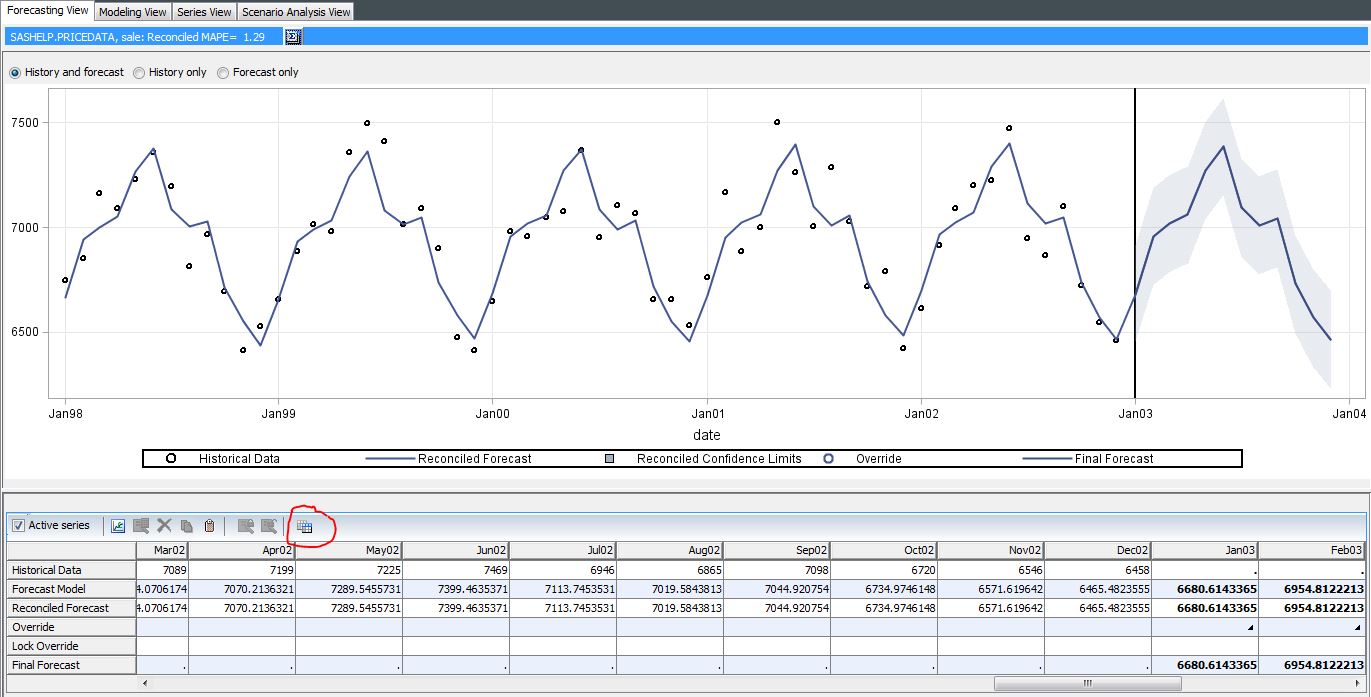
Under Forecasting View - hit "Copy Table" icon.

FST1.JPG

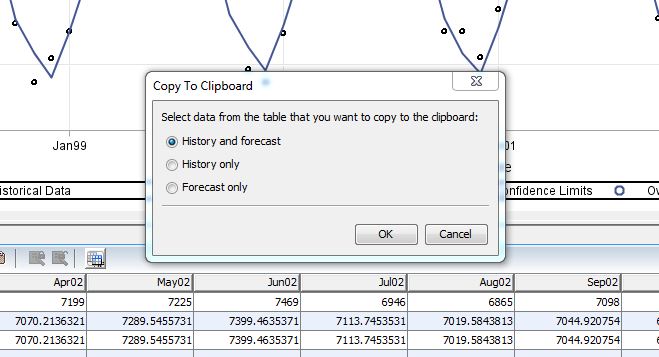
This will bring up a this dialog:

FST2.JPG

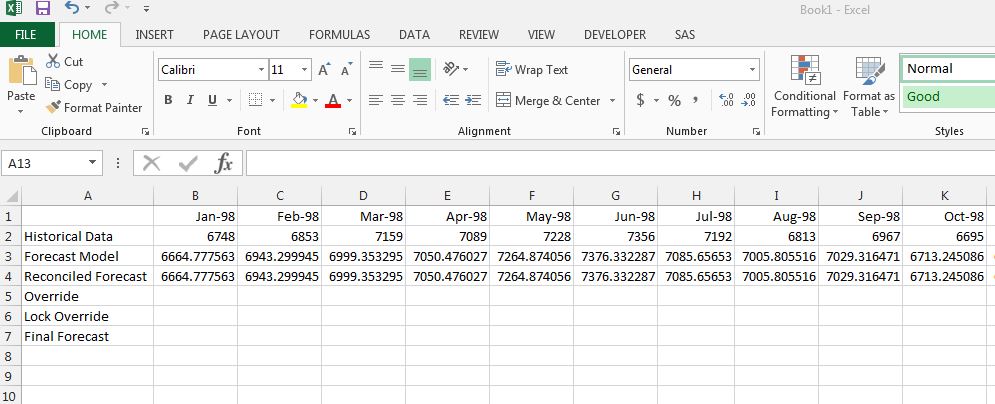
In MS Excel you will be able to paste the table into a spreadsheet:

FST3.JPG

Works fine with Forecasting for Desktop 13.2 (at least for me). If you experience a different behavior you may want to contact Technical Support.

Thanks,

Udo

mmyrto
Quartz | Level 8

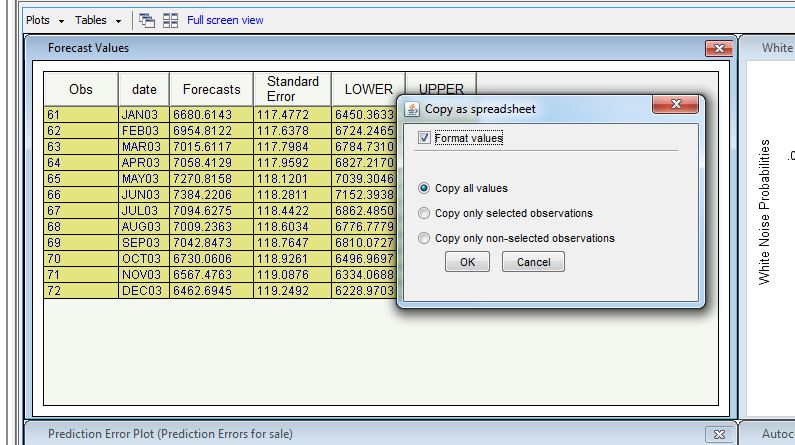
this works fine on my end what i meant is if you are in the modeling view-> tables->forecast values you can highlight and then right click copy, but then try to paste in excel it doesnt work.


thanks for all your responses

udo_sas
SAS Employee

Hello -

This seems to be a defect indeed - thanks for bringing it to our attention.

Here a one way to work around it:

Step 1: copy the data

step0.JPG

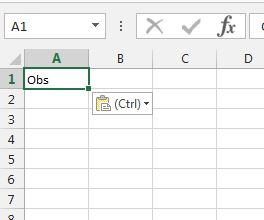
Step 2: Paste the data

step1.JPG

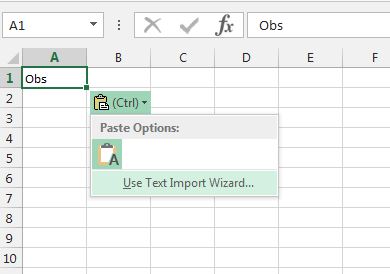
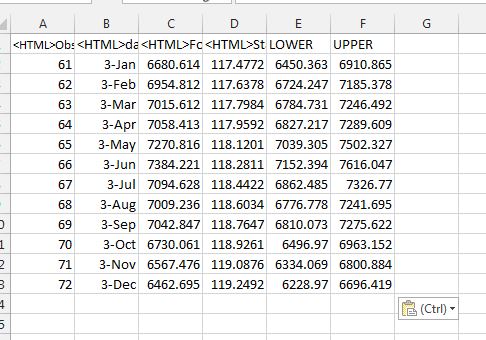
Step 3: click on (Crtl) pull down in Excel

step2.JPG

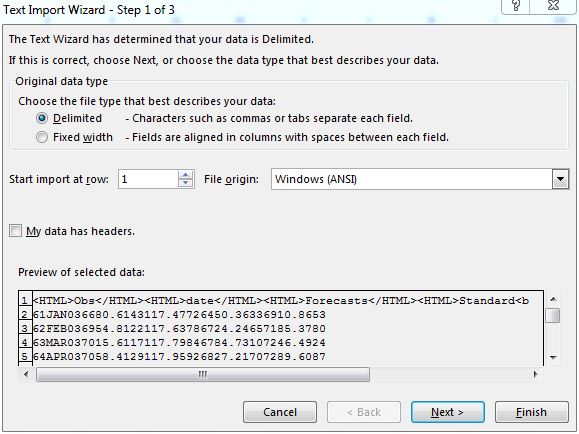
Step 4: select "Use Text Import Wizard..."

step3.JPG

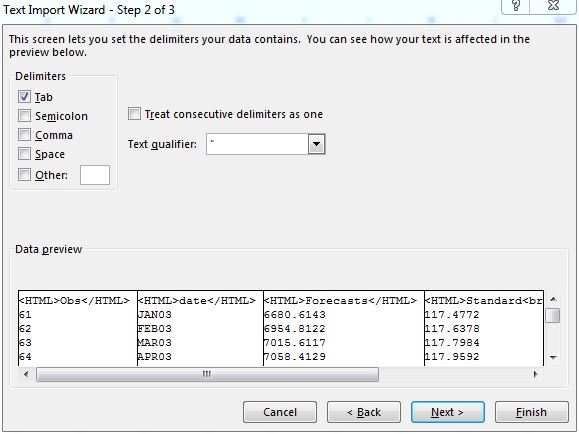
Step 5: make sure to use "Tab" as delimiter

step4.JPG

Step 6: you will need to clean up the label manually

step5.JPG


Hope this helps.

Regards,

Udo

sas-innovate-2026-white.png


April 27 – 30 | Gaylord Texan | Grapevine, Texas

Registration is open

Walk in ready to learn. Walk out ready to deliver. This is the data and AI conference you can't afford to miss.
Register now and lock in 2025 pricing—just $495!

Register now

Discussion stats
  • 3 replies
  • 1923 views
  • 0 likes
  • 2 in conversation