- Home
- /
- Programming
- /
- Enterprise Guide
- /
- Re: SAS EG 5.1 - System.Runtime.InteropServices.COMException error
- RSS Feed
- Mark Topic as New
- Mark Topic as Read
- Float this Topic for Current User
- Bookmark
- Subscribe
- Mute
- Printer Friendly Page


- Mark as New
- Bookmark
- Subscribe
- Mute
- RSS Feed
- Permalink
- Report Inappropriate Content
Hi,
While connecting to the SAS EG 5.1, I am getting the following error:
Exception type: System.Runtime.InteropServices.COMException
Message: The RPC server is unavailable. (Exception from HRESULT: 0x800706BA)
Source: mscorlib
Target Site: Unadvise
Stack Trace:
at System.Runtime.InteropServices.ComTypes.IConnectionPoint.Unadvise(Int32 dwCookie)
at SAS.CILanguageEvents_EventProvider.remove_SubmitComplete(CILanguageEvents_SubmitCompleteEventHandler )
at SAS.LanguageServiceClass.remove_SubmitComplete(CILanguageEvents_SubmitCompleteEventHandler )
at SAS.EG.JobManagement.Adapters.ExecutionWorkspaceConnection.SubmitWorkspaceInitializationCode(Boolean gridVersion, IJobLog initializationLogThatCouldBeNull)
at SAS.EG.JobManagement.Adapters.ExecutionWorkspaceConnection.InitializeConnection(IJobLog initializationLogThatCouldBeNull)
at SAS.EG.JobManagement.Adapters.ExecutionWorkspaceConnection..ctor(String serverName, Boolean usePrimaryWorkspace, Boolean useGridIfAvailable, IJobLog initializationLogThatCouldBeNull)
at SAS.EG.JobManagement.JobManager.InitWorkspaceSession(String serverName, Boolean initializeGridIfAvailable)
at SAS.EG.MainForm.Broker_StateChanged(Object sender, EventArgs e)
at System.EventHandler.Invoke(Object sender, EventArgs e)
at SAS.EG.SDS.Model.Broker.FireStateChange(Base sdsObj)
at SAS.EG.SDS.Model.Server.SASWorkspace()
at SAS.EG.SDS.Views.View.DoPopulate(DisplayOperation& op)
Could anyone suggest what could be reason behind this, as we restarted the RPC services as well. The same thing is coming.
Regards,
Siddhartha


- Mark as New
- Bookmark
- Subscribe
- Mute
- RSS Feed
- Permalink
- Report Inappropriate Content
You should track this with SAS Technical Support. Possible causes:
- your SAS Integration Technologies client software is the wrong version not installed/registered properly
- your SAS session is crashing/terminating for some reason when you connect to it.
- or, something else that I haven't thought of...
Tech Support can provide you with steps to gather information and diagnose.
Chris

- Mark as New
- Bookmark
- Subscribe
- Mute
- RSS Feed
- Permalink
- Report Inappropriate Content
 Hi,
Hi,
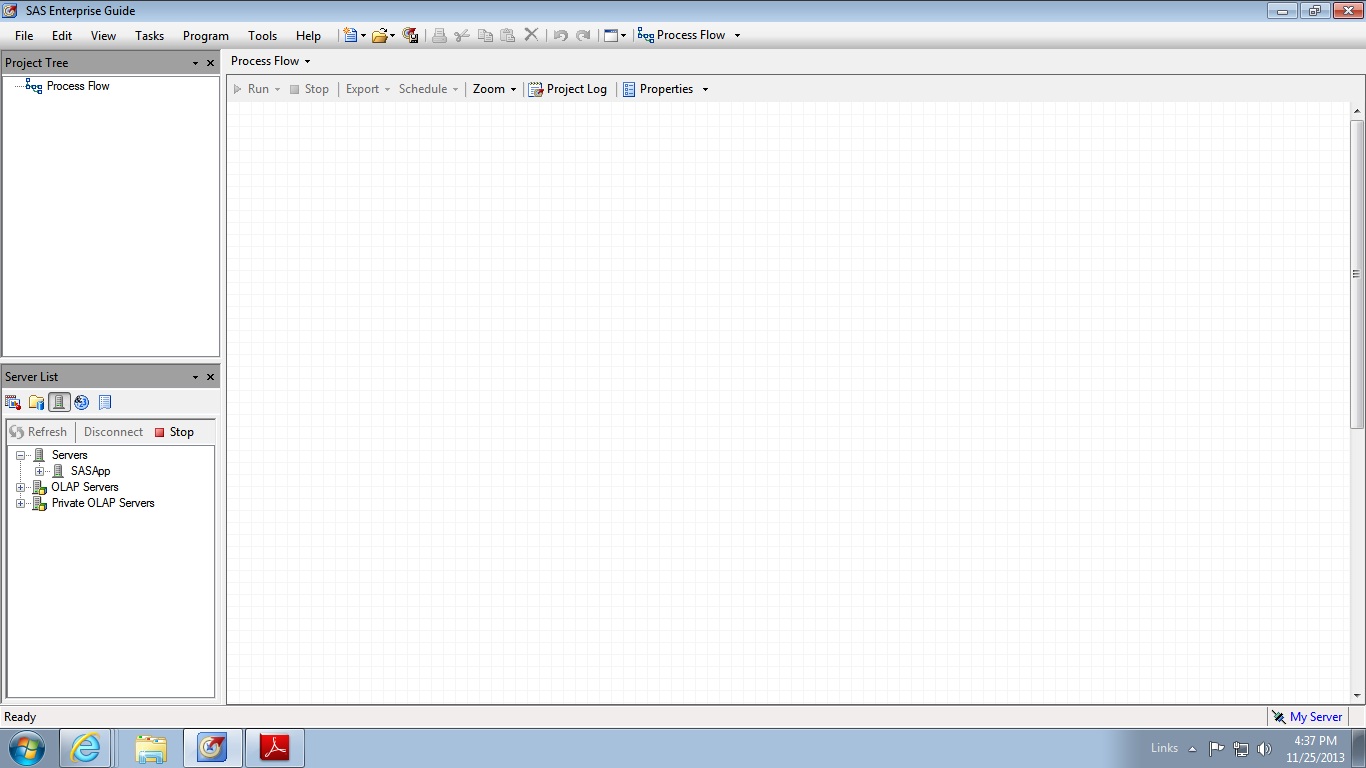
I have a problem with sas Enterprise guide 5.1 using in windows 7(64-bit).when i am trying to access to local server it couldn't load libraries listed in sasapp(local server) but i can see it in sas management console. It was hanged up and i couldn't see any error message while trying to access it. Can i find solution for this problem.

Call for content now open!
It's your turn to help shape SAS Innovate 2027. Share your expertise and inspire the SAS community.
Check out this tutorial series to learn how to build your own steps in SAS Studio.

Find more tutorials on the SAS Users YouTube channel.
SAS Training: Just a Click Away
Ready to level-up your skills? Choose your own adventure.
-
2 replies
-
09-13-2013 11:48 AM
-
4451 views
-
0 likes
-
3 in conversation
-


