BookmarkSubscribeRSS Feed
🔒 This topic is solved and locked. Need further help from the community? Please sign in and ask a new question.
Riana
Pyrite | Level 9

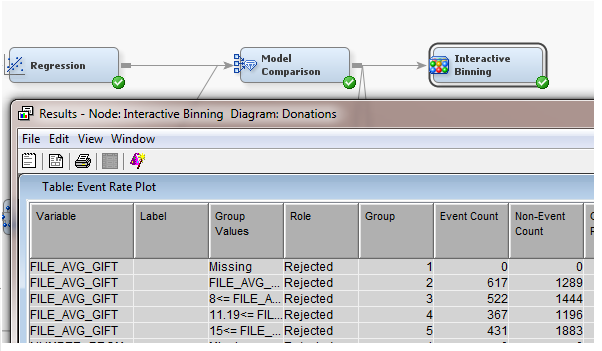
I want to save a table(Table: EventRatePlot) in SAS Miner (on metadata server) so that I can open it

in SAS EG. But when I go to File-> Save as , it shows just local folders and I don't have access to the

folders on metadata server.

How can I save it on server?


Some information about the system that I 'm working with:

  • SAS is installed on Linux server
  • I'm running a web version of SAS Miner but I can run SAS EG locally on my computer and have access to folders on server.


Table:Event Rate Plot 


Thank you.

1 ACCEPTED SOLUTION

Accepted Solutions
JuanS_OCS
Azurite | Level 17

Hi,


most probably, you can define on the properties of the node, that you want to set the location of the table on a different library, unless that you have an specific node for that.

Or, maybe you can just add custom code to save the table on a library that is present on EG, since on Eminer you can see the metadata libraries, same than with EGuide.

View solution in original post

1 REPLY 1
JuanS_OCS
Azurite | Level 17

Hi,


most probably, you can define on the properties of the node, that you want to set the location of the table on a different library, unless that you have an specific node for that.

Or, maybe you can just add custom code to save the table on a library that is present on EG, since on Eminer you can see the metadata libraries, same than with EGuide.

Catch up on SAS Innovate 2026

Nearly 200 sessions are now available on demand with the SAS Innovate Digital Pass.

Explore Now →
How to choose a machine learning algorithm

Use this tutorial as a handy guide to weigh the pros and cons of these commonly used machine learning algorithms.

Find more tutorials on the SAS Users YouTube channel.

Discussion stats
  • 1 reply
  • 1701 views
  • 0 likes
  • 2 in conversation