BookmarkSubscribeRSS Feed
jpsm70
SAS Employee

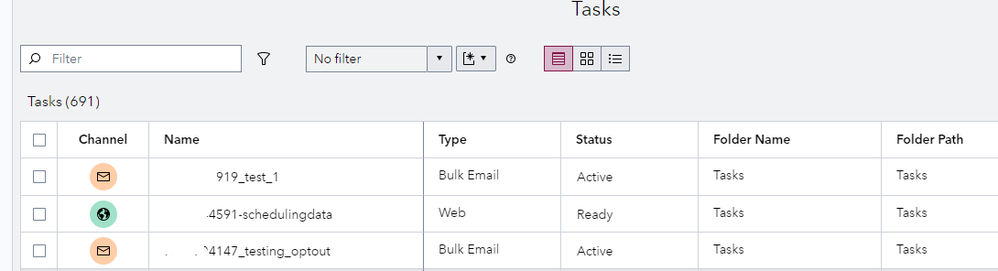
The default Tasks list or Segment Maps list does not display assets inside subfolders as in the example shown below.


two.png


To view assets inside subfolders, first click on the Browse folders and filter items icon.  Next, click on the ⋮ and select Configure views.


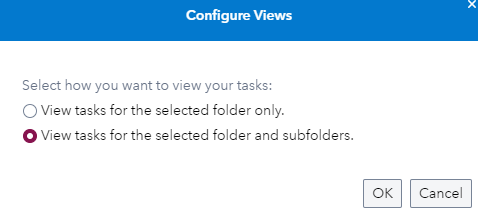
Select whether you want to view assets for the selected folder only, or for the selected folder and subfolders.


one.png


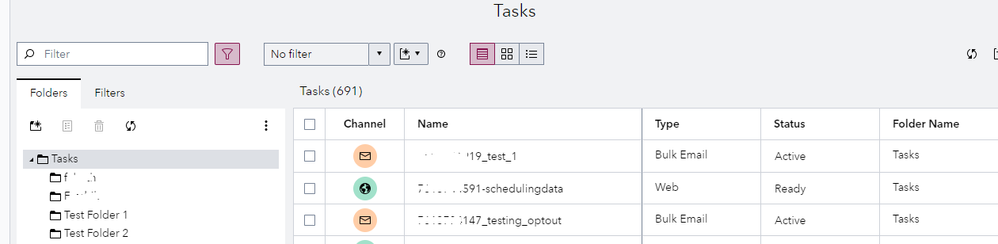
Click OK and your view will now show assets inside subfolders as in the example below.


three.png


Leader Spring 2026.png

Want to review SAS CI360? G2 is offering a gift card or charitable donation for each accepted review. Use this link to opt out of receiving anything of value for your review.


SAS Customer Intelligence 360

Get started with CI 360

Review CI 360 Release Notes

Open a Technical Support case

Suggest software enhancements


Training Resources

SAS Customer Intelligence Learning Subscription (login required)

Access free tutorials

Refer to documentation

Latest hot fixes

Compatibility notice re: SAS 9.4M8 (TS1M8) or later

How to improve email deliverability

SAS' Peter Ansbacher shows you how to use the dashboard in SAS Customer Intelligence 360 for better results.

Find more tutorials on the SAS Users YouTube channel.


Leader Spring 2026.png

Want to review SAS CI360? G2 is offering a gift card or charitable donation for each accepted review. Use this link to opt out of receiving anything of value for your review.


SAS Customer Intelligence 360

Get started with CI 360

Review CI 360 Release Notes

Open a Technical Support case

Suggest software enhancements


Training Resources

SAS Customer Intelligence Learning Subscription (login required)

Access free tutorials

Refer to documentation

Latest hot fixes

Compatibility notice re: SAS 9.4M8 (TS1M8) or later

Discussion stats
  • 0 replies
  • 1127 views
  • 1 like
  • 1 in conversation