BookmarkSubscribeRSS Feed
🔒 This topic is solved and locked. Need further help from the community? Please sign in and ask a new question.
anming
Pyrite | Level 9
title 'Selected Park Types by Regions';

ods graphics on;
proc freq data=pg1.np_codelookup order=freq;
tables type*region/nocol crosslist;
plots=freqplot(groupby=row scale=grouppercent orient=horizontal);
where Type in ('National Historic Site', 'National Monument', 'National Park');
run;

title;

Has the University Edition SAS Studio disable the plots function? I can run the codes above.

OPTIONS NONOTES NOSTIMER NOSOURCE NOSYNTAXCHECK;
NOTE: ODS statements in the SAS Studio environment may disable some output features.
73
74 title 'Selected Park Types by Regions';
75
76 ods graphics on;
77 proc freq data=pg1.np_codelookup order=freq;
78 tables type*region/nocol crosslist;
79 plots=freqplot(groupby=row scale=grouppercent orient=horizontal);
_____
180
ERROR 180-322: Statement is not valid or it is used out of proper order.


1 ACCEPTED SOLUTION

Accepted Solutions
Astounding
PROC Star

There is no PLOTS statement as part of PROC FREQ:


https://documentation.sas.com/?cdcId=pgmsascdc&cdcVersion=9.4_3.5&docsetId=procstat&docsetTarget=pro...


However, there is a PLOTS= option as part of the TABLES statement.  Try removing the semicolon after CROSSLIST.

View solution in original post

1 REPLY 1
Astounding
PROC Star

There is no PLOTS statement as part of PROC FREQ:


https://documentation.sas.com/?cdcId=pgmsascdc&cdcVersion=9.4_3.5&docsetId=procstat&docsetTarget=pro...


However, there is a PLOTS= option as part of the TABLES statement.  Try removing the semicolon after CROSSLIST.

sas-innovate-2026-white.png


April 27 – 30 | Gaylord Texan | Grapevine, Texas

Registration is open

Walk in ready to learn. Walk out ready to deliver. This is the data and AI conference you can't afford to miss.
Register now and lock in 2025 pricing—just $495!

Register now

LIBNAME 101

Follow along as SAS technical trainer Dominique Weatherspoon expertly answers all your questions about SAS Libraries.
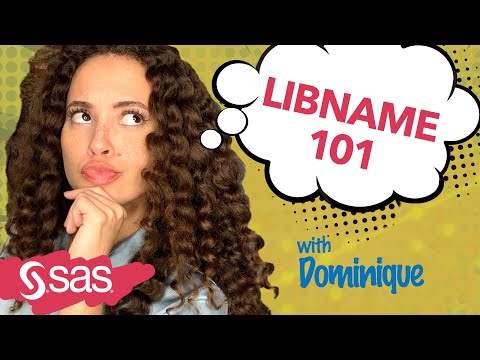
Find more tutorials on the SAS Users YouTube channel.

Discussion stats
  • 1 reply
  • 1875 views
  • 2 likes
  • 2 in conversation