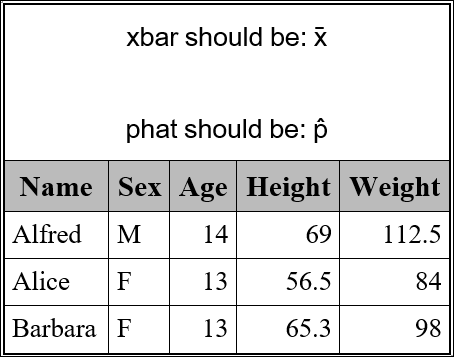
Hi Everyone,
I am creating an rtf document and am trying to write out a mathematical expression using ods rtf text. I'm trying to generate x-bar, an X with a bar above it. I figured this could be easily acheived using ODS RTF TEXT and a textdecoration = overline styling option. When I run this as a RTF, I do not get the overline; however, the PDF does show the overline. I use many styling options and have not had what appears to be compatibility issues. Seems like textdecoration works with ODS PDF, but not ODS RTF. Am I correct? Is there a workaround for me to create an X-bar (note: I've already tried unicode but was not able to find an x-bar in the character map)?
Any suggestions or advice is greatly appreciated.
Best,
Chris
/*RTF creation*/
ODS ESCAPECHAR = '~';
ODS RTF FILE = "Temp.RTF";
ODS RTF TEXT="~{style [just=r textdecoration=overline color=red]Here is some random overlined text.}";
ODS RTF CLOSE;

/*PDF creation*/
ODS ESCAPECHAR = '~';
ODS PDF FILE = "Temp.PDF" ;
ODS PDF TEXT="~{style [just=r textdecoration=overline color=red]Here is some random overlined text.}";

ODS PDF CLOSE;