- Home
- /
- Programming
- /
- ODS Reports
- /
- Proc Report Total Line
- RSS Feed
- Mark Topic as New
- Mark Topic as Read
- Float this Topic for Current User
- Bookmark
- Subscribe
- Mute
- Printer Friendly Page


- Mark as New
- Bookmark
- Subscribe
- Mute
- RSS Feed
- Permalink
- Report Inappropriate Content
Hi all,
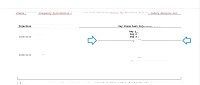
Could you please help to code the line before Total:
Accepted Solutions
- Mark as New
- Bookmark
- Subscribe
- Mute
- RSS Feed
- Permalink
- Report Inappropriate Content
The case was resolved by adding the following data to var3:
var3 = "(*ESC*)S={bordertopwidth=1}"||" Total # of Subjects Attended Visit = " || strip(put(number, 8.));

- Mark as New
- Bookmark
- Subscribe
- Mute
- RSS Feed
- Permalink
- Report Inappropriate Content
Use original code of RTF.

ods escapechar="^";
proc report...;
  columns x ("^R'\brdrb\brdrs\brdrw15 'Powers" y z) ;
- Mark as New
- Bookmark
- Subscribe
- Mute
- RSS Feed
- Permalink
- Report Inappropriate Content
I bring my apolog


- Mark as New
- Bookmark
- Subscribe
- Mute
- RSS Feed
- Permalink
- Report Inappropriate Content
Hi:
It is really hard to do what you ask with code or data to test. It is impossible to "correct" your COMPUTE block out of context -- it needs the whole code and some data.
If you can't share your data then make some fake data or use one of the SASHELP datasets. I do not think your COMPUTE before will do what you want, because you would be writing the line at the TOP of the group when VAR3 changes. According to your picture, that is not where you want the LINE to be written.
Another reason why it is important to see all the code is that in your screen shot, it doesn't look like there's a column for VAR3, which implies that it might be a NOPRINT item. And, depending on the order of variables in the COLUMN statement, you might be testing VAR3 at the wrong place.
cynthia
- Mark as New
- Bookmark
- Subscribe
- Mute
- RSS Feed
- Permalink
- Report Inappropriate Content
The case was resolved by adding the following data to var3:
var3 = "(*ESC*)S={bordertopwidth=1}"||" Total # of Subjects Attended Visit = " || strip(put(number, 8.));
Call for content now open!
It's your turn to help shape SAS Innovate 2027. Share your expertise and inspire the SAS community.
Learn how use the CAT functions in SAS to join values from multiple variables into a single value.

Find more tutorials on the SAS Users YouTube channel.
SAS Training: Just a Click Away
Ready to level-up your skills? Choose your own adventure.
-
4 replies
-
10-26-2017 09:45 AM
-
3599 views
-
0 likes
-
3 in conversation
-


