- Home
- /
- Programming
- /
- ODS Reports
- /
- ODS TAGSET.RTF How to print a line under the headers using a PROC REPO...
- RSS Feed
- Mark Topic as New
- Mark Topic as Read
- Float this Topic for Current User
- Bookmark
- Subscribe
- Mute
- Printer Friendly Page


- Mark as New
- Bookmark
- Subscribe
- Mute
- RSS Feed
- Permalink
- Report Inappropriate Content
Hi,
I'm using a slightly modified version of ODS TAGSET.RTF and I can't figure out how to print a bold line under the table headers.
The only solution I found so far that works properly is the following in "define event data":
...
do /if $tables_off;
put "}" NL;
else;
do /if VALUE and cmp( $section_tbl, "table_head");
put "\brdrb\brdrs\brdrw30";
done;
put "\cell}" NL;
done;
The problem with this solution is that if I have a blank space as the table header (i.e. define varxxx / " " id ....) then the line doesn't appear under the header for this variable. I've tried different solutions with RULES = GROUPS but never been able to reproduce what I want.
Any thoughts?
Thanks
Pierre


- Mark as New
- Bookmark
- Subscribe
- Mute
- RSS Feed
- Permalink
- Report Inappropriate Content
How about this :
ods tagsets.rtf file='/folders/myfolders/x.rtf';
ods escapechar='~';
title1 'xxx';
title2 "~R'\brdrb\brdrs\brdrw15 '  ";
proc print data=sashelp.class  ;run;
ods tagsets.rtf close;


- Mark as New
- Bookmark
- Subscribe
- Mute
- RSS Feed
- Permalink
- Report Inappropriate Content
Hi:
Since you specifically mentioned a DEFINE statement, that indicates that you want a COLUMN header to be underlined using PROC REPORT, not a SAS TITLE statement. The RTF control string method will work, but there is a somewhat simpler way to underline column headers. You can accomplish either DEFINE or TITLE underlining using the TEXTDECORATION style attribute, as shown here:
ods tagsets.rtf file='c:\temp\underline_define.rtf';
ods escapechar='^';
title1 '^{style[textdecoration=underline]xxx yyy zzz}';
proc report data=sashelp.class  ;
  column name age sex height weight;
  define name / 'The Name'
     style(header)={textdecoration=underline width=1.5in};
  define age / 'The Age'
     style(header)={textdecoration=underline width=1.5in};
run;
ods tagsets.rtf close;
and these are the results:
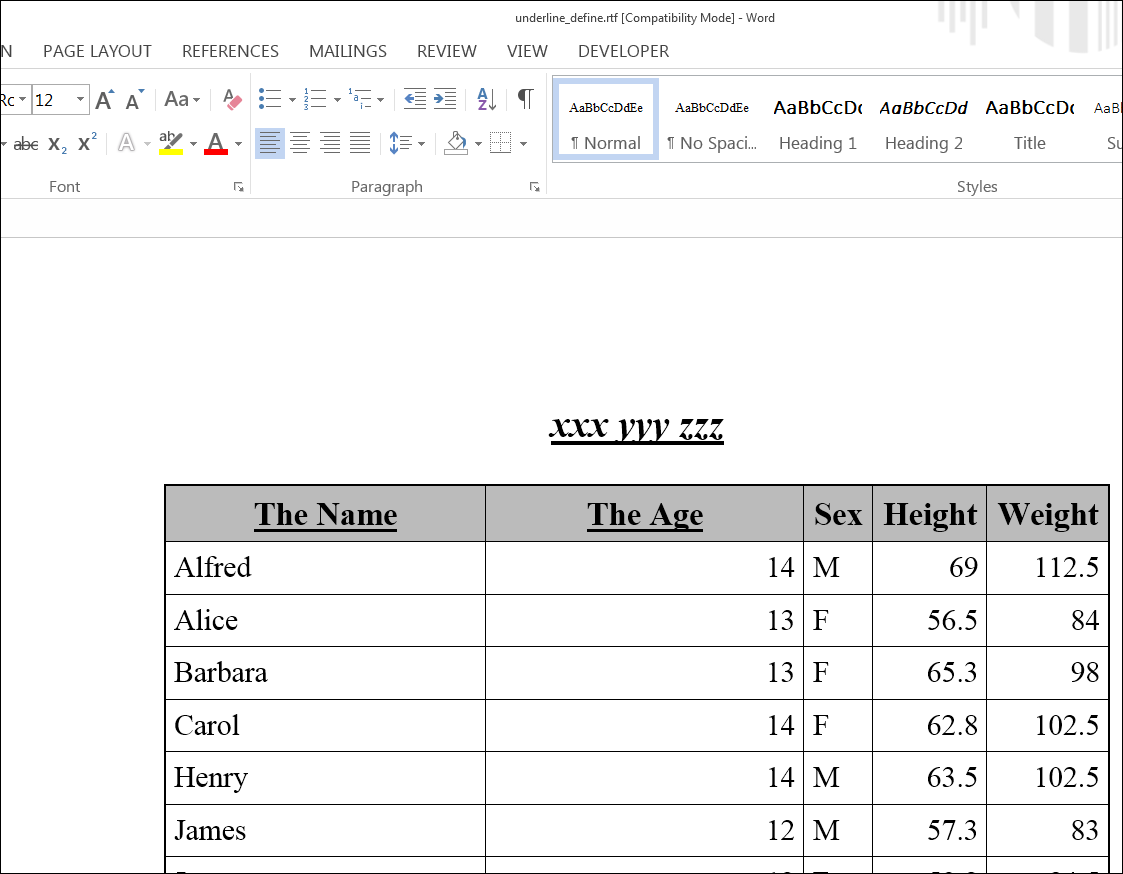
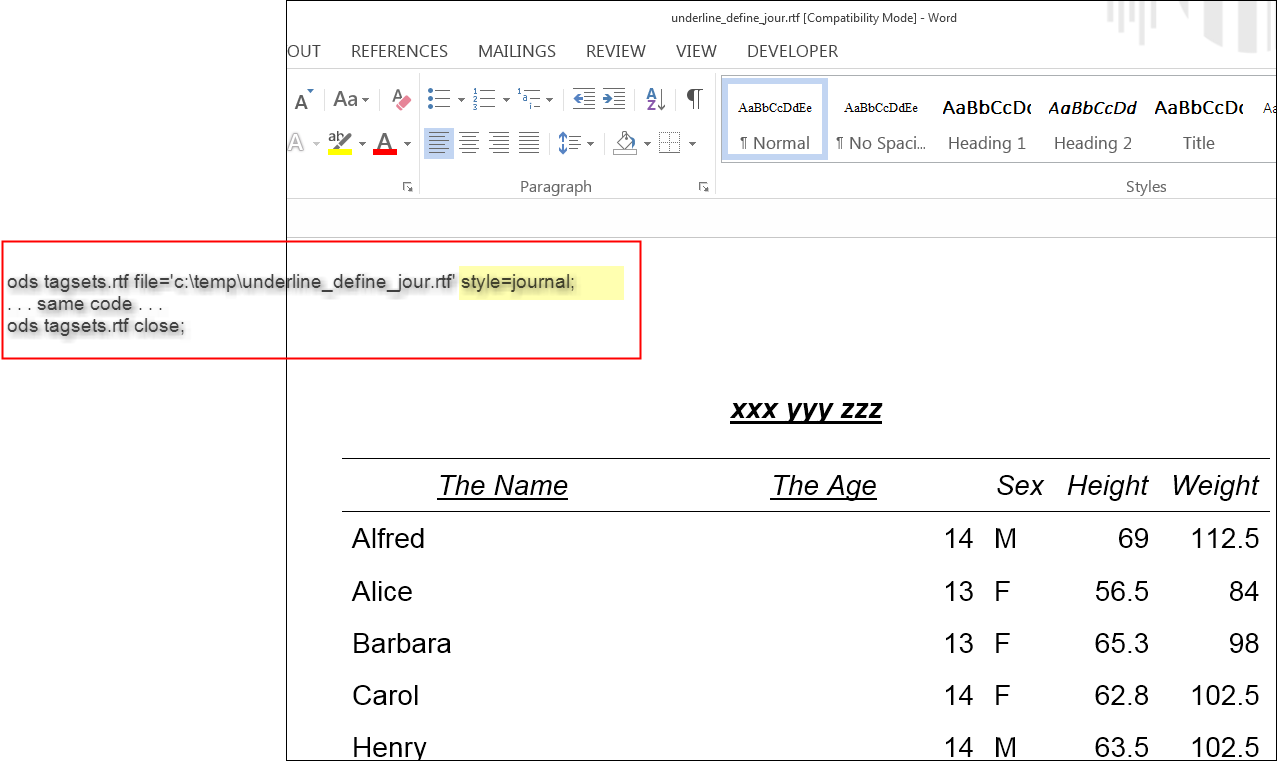
and if you change the style to JOURNAL, then this is what you get:
cynthia

Catch up on SAS Innovate 2026
Nearly 200 sessions are now available on demand with the SAS Innovate Digital Pass.
Explore Now →Learn how use the CAT functions in SAS to join values from multiple variables into a single value.

Find more tutorials on the SAS Users YouTube channel.
SAS Training: Just a Click Away
Ready to level-up your skills? Choose your own adventure.
-
2 replies
-
06-13-2016 02:57 AM
-
2599 views
-
2 likes
-
3 in conversation
-


