BookmarkSubscribeRSS Feed
☑ This topic is solved. Need further help from the community? Please sign in and ask a new question.
Nqobile_S14
Fluorite | Level 6

Good day,


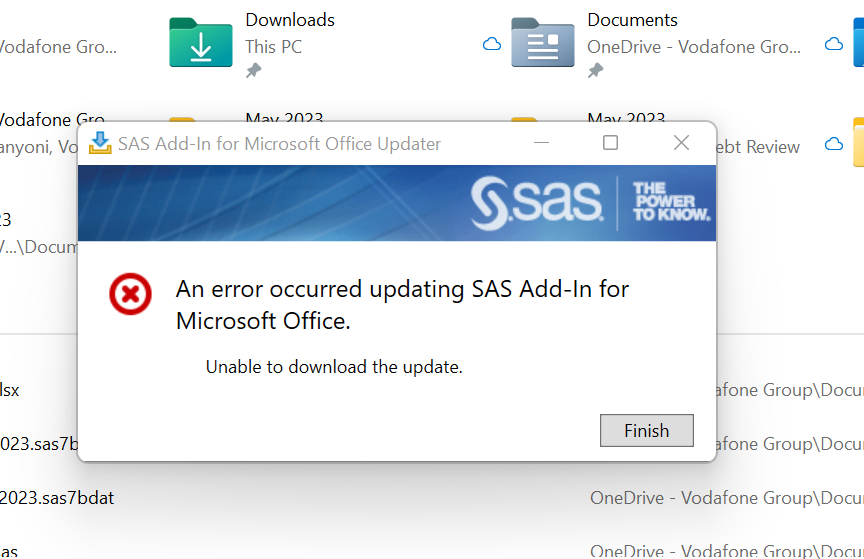
May you please assist. I am not able to update SAS Add-in on Microsoft Excel. I get this error when I click on the SAS pop up when I open Excel. I may have not updated the Add-in  immediately after updating the SAS License, would that be the reason it's refusing to update now?


sas.png

1 ACCEPTED SOLUTION

Accepted Solutions
SASKiwi
PROC Star

If this is to do with Version 8 then most likely you have struck this problem: https://support.sas.com/kb/66/676.html


Follow the instructions to see if it fixes your problem.

View solution in original post

3 REPLIES 3
SASKiwi
PROC Star

If this is to do with Version 8 then most likely you have struck this problem: https://support.sas.com/kb/66/676.html


Follow the instructions to see if it fixes your problem.

Nqobile_S14
Fluorite | Level 6

Thank you so much. Let me try this solution. 

Nqobile_S14
Fluorite | Level 6

Thank you so much these instructions helped to update the Microsoft add-in. Just replacing the Update exe with the one I downloaded from the link provided did the trick.


Thank you again

sas-innovate-2026-white.png


April 27 – 30 | Gaylord Texan | Grapevine, Texas

Registration is open

Walk in ready to learn. Walk out ready to deliver. This is the data and AI conference you can't afford to miss.
Register now and lock in 2025 pricing—just $495!

Register now

Discussion stats
  • 3 replies
  • 5138 views
  • 1 like
  • 2 in conversation