Turn on suggestions
Auto-suggest helps you quickly narrow down your search results by suggesting possible matches as you type.
Showing results for
- Home
- /
- Programming
- /
- Graphics
- /
- Fun With SAS ODS Graphics: 5-Ellipse Ghost
Options
- RSS Feed
- Mark Topic as New
- Mark Topic as Read
- Float this Topic for Current User
- Bookmark
- Subscribe
- Mute
- Printer Friendly Page


Lapis Lazuli | Level 10
- Mark as New
- Bookmark
- Subscribe
- Mute
- RSS Feed
- Permalink
- Report Inappropriate Content
Posted 10-29-2023 07:19 PM
(3601 views)
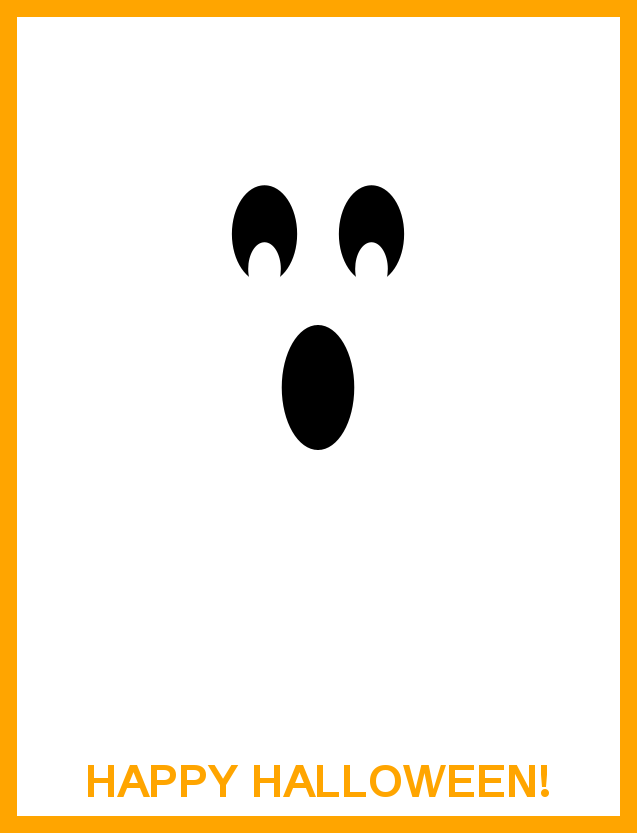
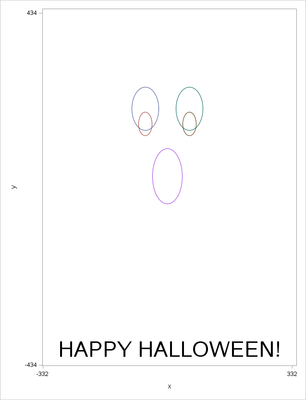
A quick SAS ODS Graphics ellipseparm plot take on a neat greeting card. Happy Halloween, all!
* Fun With SAS ODS Graphics: 5-Ellipse Ghost
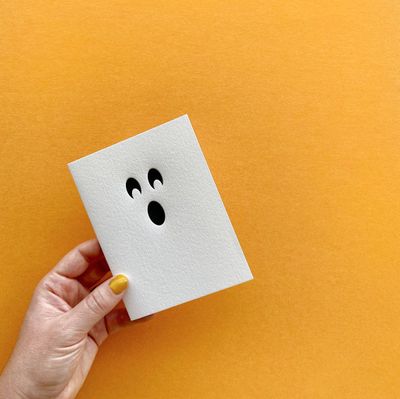
  ODS Graphics take on neat Ghost Halloween Card at bethschristmas.com/products/ghost-halloween-card;

data ghost;                                                                                                     * Generate a "dummy" point for scatter chart to facilitate ellipse plotting;
retain x y 0;

ods graphics / noborder antialias height=8.68in width=6.64in;                                                   * Set image size;
proc sgplot data=ghost noautolegend noborder;                                                                   * Creat ghost chart (Ellipseparm plots);
styleattrs backcolor=orange;                                                                                    * Orange padding;
scatter x=x y=y / markerattrs=(size=0pt);                                                                       * Need another plot type with ellipseparm plots;
ellipseparm semimajor=36 semiminor=53 / slope=0 xorigin=-59 nooutline yorigin=198 fill fillattrs=(color=black); * Left eye;
ellipseparm semimajor=18 semiminor=29 / slope=0 xorigin=-59 nooutline yorigin=160 fill fillattrs=(color=white);
ellipseparm semimajor=36 semiminor=53 / slope=0 xorigin=59 nooutline yorigin=198 fill fillattrs=(color=black);  * Right eye;
ellipseparm semimajor=18 semiminor=29 / slope=0 xorigin=59 nooutline yorigin=160 fill fillattrs=(color=white);
ellipseparm semimajor=40 semiminor=68 / slope=0 xorigin=0 nooutline yorigin=31 fill fillattrs=(color=black);    * Mouth;
inset "HAPPY HALLOWEEN!" / textattrs=(color=orange size=28pt weight=bold) position=bottom;                      * We wish you a Happy Halloween!;
xaxis display=none offsetmin=0 offsetmax=0 values=(-332 332);                                                   * Suppress axes, set axes bounds;
yaxis display=none offsetmin=0 offsetmax=0 values=(-434 434);
run;
2 REPLIES 2


Super User
- Mark as New
- Bookmark
- Subscribe
- Mute
- RSS Feed
- Permalink
- Report Inappropriate Content
tc,
Holiday Guy!
It looks like you only appear here when holidy is coming.
Holiday Guy!
It looks like you only appear here when holidy is coming.
Lapis Lazuli | Level 10
- Mark as New
- Bookmark
- Subscribe
- Mute
- RSS Feed
- Permalink
- Report Inappropriate Content

Call for content now open!
It's your turn to help shape SAS Innovate 2027. Share your expertise and inspire the SAS community.
How to Concatenate Values
Learn how use the CAT functions in SAS to join values from multiple variables into a single value.

Find more tutorials on the SAS Users YouTube channel.
SAS Training: Just a Click Away
Ready to level-up your skills? Choose your own adventure.
Discussion stats
-
2 replies
-
10-29-2023 07:19 PM
-
3602 views
-
7 likes
-
2 in conversation
-

