- Home
- /
- Programming
- /
- Graphics
- /
- Formatting Boxplot to fit data - graph created has too much white spac...
- RSS Feed
- Mark Topic as New
- Mark Topic as Read
- Float this Topic for Current User
- Bookmark
- Subscribe
- Mute
- Printer Friendly Page


- Mark as New
- Bookmark
- Subscribe
- Mute
- RSS Feed
- Permalink
- Report Inappropriate Content
The attached boxplot looks great, other than the fact that I have a ton of white space. I wamt wanting to make the width of the graph smaller or the width of the box plots themsevles larger. I have been trying to do this using bwidth option, but with no luck. I am needing to put this plot on a poster, but the grash produced is difficult to read. Thank you for any help you can give. Below is the SAS code used to create the box plot.
proc boxplot data=resident;
goptions ftext=CENTX;
symbol value = dot color=red;
plot percent*time/
cboxfill = ywh haxis = axis1 vaxis=axis2 ;
run;
Accepted Solutions


- Mark as New
- Bookmark
- Subscribe
- Mute
- RSS Feed
- Permalink
- Report Inappropriate Content
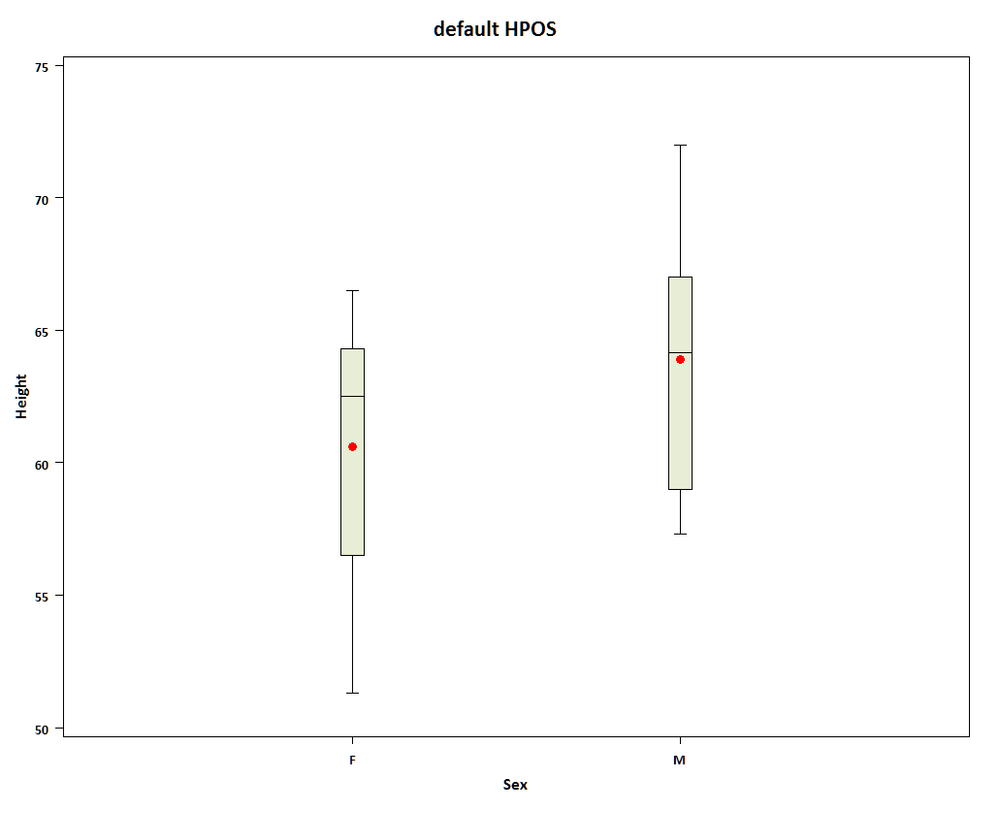
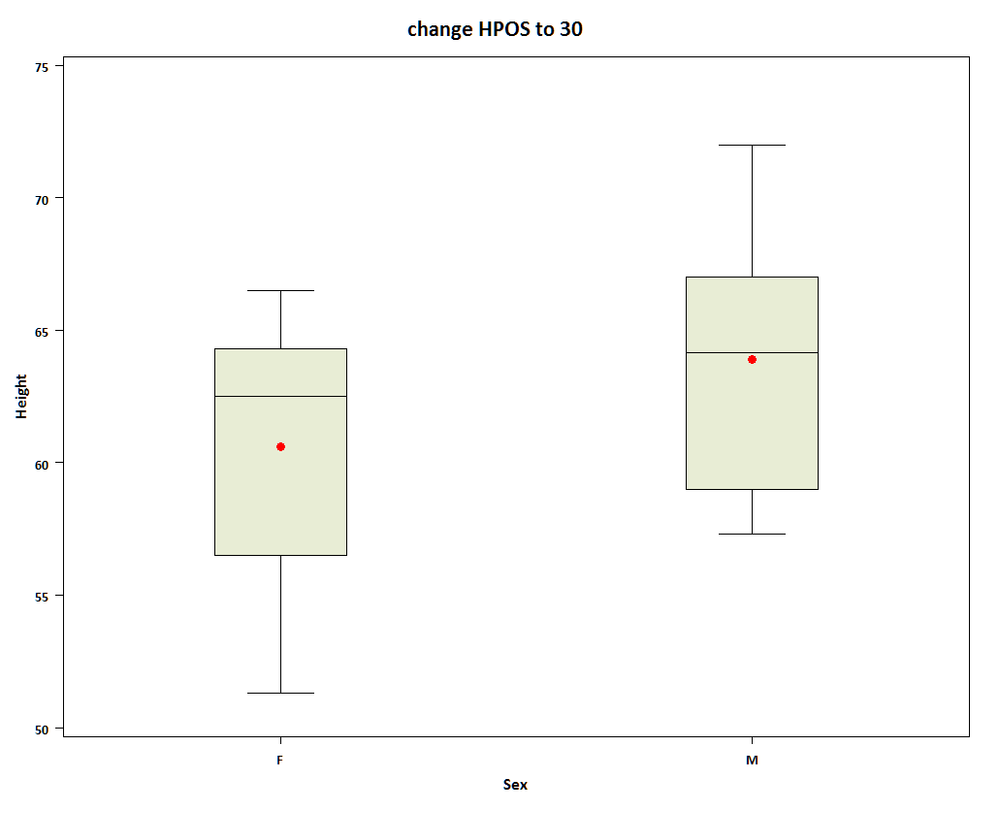
hi ... you can also try using the HPOS goption ...
proc sort data=sashelp.class out=class;
by sex;
run;
goptions reset=all ftext='calibri/bo';
symbol value = dot color=red;
title 'default HPOS';
proc boxplot data=class;
plot height*sex/ cboxfill = ywh ;
run;
goptions hpos=30;
title 'change HPOS to 30';
proc boxplot data=class;
plot height*sex/ cboxfill = ywh ;
run;
more reading ...
HPOS is discussed is ... http://support.sas.com/rnd/datavisualization/papers/GraphBasics.pdf

- Mark as New
- Bookmark
- Subscribe
- Mute
- RSS Feed
- Permalink
- Report Inappropriate Content
Hi HyunJee,
You can try something like this:
proc boxplot data=resident;
plot percent * time / hoffset=25 boxwidth=10;
run;
HOFFSET=25 places the first tick mark 25% of the way across the graph. BOXWIDTH=10 sets the width of each box to 10% of the graph width. You can adust those values to your liking.
Bucky
- Mark as New
- Bookmark
- Subscribe
- Mute
- RSS Feed
- Permalink
- Report Inappropriate Content
hi ... you can also try using the HPOS goption ...
proc sort data=sashelp.class out=class;
by sex;
run;
goptions reset=all ftext='calibri/bo';
symbol value = dot color=red;
title 'default HPOS';
proc boxplot data=class;
plot height*sex/ cboxfill = ywh ;
run;
goptions hpos=30;
title 'change HPOS to 30';
proc boxplot data=class;
plot height*sex/ cboxfill = ywh ;
run;
more reading ...
HPOS is discussed is ... http://support.sas.com/rnd/datavisualization/papers/GraphBasics.pdf

Call for content now open!
It's your turn to help shape SAS Innovate 2027. Share your expertise and inspire the SAS community.
Learn how use the CAT functions in SAS to join values from multiple variables into a single value.

Find more tutorials on the SAS Users YouTube channel.
SAS Training: Just a Click Away
Ready to level-up your skills? Choose your own adventure.
-
2 replies
-
03-28-2012 09:20 AM
-
2490 views
-
3 likes
-
3 in conversation
-


