Hi,
I hope that I'm in the right place to ask this question. One of my colleagues is new in SAS and has problem
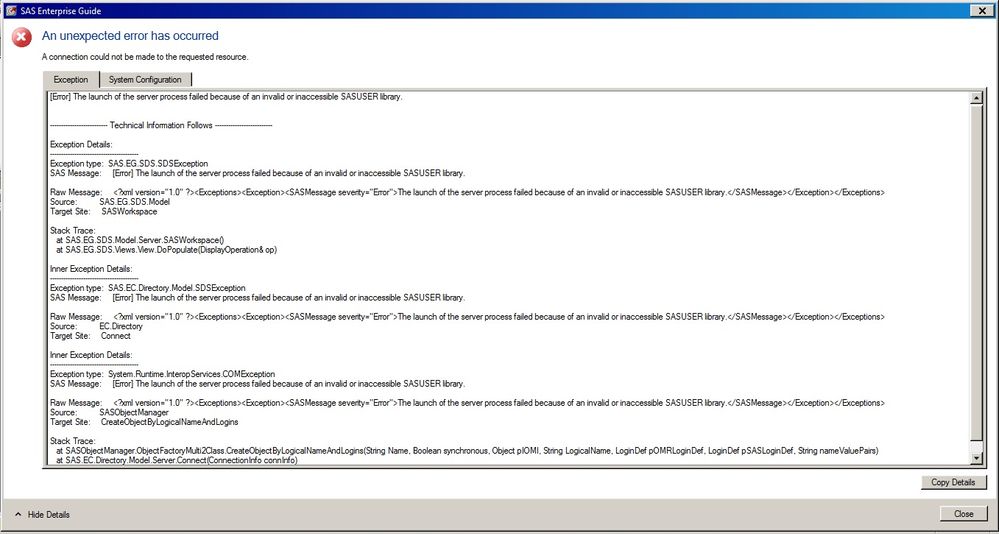
to connect to the server in SAS EG. She is getting error for SASUSER library. Please refer to the attached file.
What can be the problem?
The first line is all you need.
[Error] The launch of the server process failed because of an invalid or inaccessible SASUSER library.
First of all, you have to check how the SASUSER library is defined in the workspace server configuration. If both of you use the same logical workspace server, just start your own EG, connect to the server, open Libraries, right-click on SASUSER, and select Properties.
This will reveal the path name to the SASUSER.
Then you can check if the user has write access to the required path.
The first line is all you need.
[Error] The launch of the server process failed because of an invalid or inaccessible SASUSER library.
First of all, you have to check how the SASUSER library is defined in the workspace server configuration. If both of you use the same logical workspace server, just start your own EG, connect to the server, open Libraries, right-click on SASUSER, and select Properties.
This will reveal the path name to the SASUSER.
Then you can check if the user has write access to the required path.
Hi @Riana;
Please check this community page for your referance:
https://communities.sas.com/t5/SAS-Enterprise-Guide/SASApp-Connection-Issue/td-p/177300
It is about the same issue, which you are facing right now,
and also try the steps which @Kurt_Bremser mentioned for diagnosing the error.
Thanks,
Kalind
And, BTW, you do not have a problem with the metadata server login. Your error message comes from trying to start a workspace server, which can only happen after a connection to the metadata server has been established (except when using "Local" without any connection to a remote server).
The SAS Users Group for Administrators (SUGA) is open to all SAS administrators and architects who install, update, manage or maintain a SAS deployment.
SAS technical trainer Erin Winters shows you how to explore assets, create new data discovery agents, schedule data discovery agents, and much more.

Find more tutorials on the SAS Users YouTube channel.