In this blog post: discover how Stripes bring structure to your layout, how Blocks bring your content to life, and how Modules help you save and reuse your best designs—plus the standout enhancements that make this a big leap beyond our previous layout manager.
Stripes: the powerful layout framework that makes email building effortless
- Emails are built on a clear, intuitive hierarchy—so you instantly know where to shape the layout and where to drop in content.
- Stripes sit at the top and hold your Structures, Containers, and Blocks.
- Each Stripe can be a Header, Content, Footer, or Info area—and you can rename Stripes to match your workflow.
- Apply global settings to each stripe type and save time by avoiding repetitive setup across your email.
Here’s what each element does—and when you’ll use it:
Structures – Think of these as the rows that define your layout. Every Stripe includes a Structure by default, so you can quickly set up sections like a hero area, two-column content, or a footer row.
Containers – Containers are the columns inside a Structure. Choose a preset layout, drag it into your template, then fine-tune it: adjust column widths, add more containers, and align content exactly where you want it.
Blocks – Blocks are the actual content your audience sees (text, images, buttons, and more). Drag a block into a container, then customize it to match your message. Out-of-the-box options include Image, Text, Button, Spacer, Social, Menu, HTML, Banner, and Video.
And that’s just the beginning—here are some of the standout Blocks in the drag-and-drop editor:
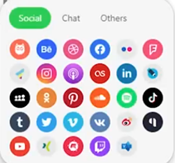
Social – Add your social icons in seconds: drop in the block, paste your links, and you’re done.
Menu – Add a clean navigation bar at the top of your email using links, icons, or both.

Banner – Layer text and supporting images on top of a banner background to create an eye-catching header.

Video – Add a clickable preview that links to YouTube or Vimeo so readers can watch with one click.

A few other great things about blocks
Easily Move Blocks
You can move blocks from one structure to another without having to recreate the block.
Insert Images within a text block
With the new editor you can now easily insert images within your block. This is great if you have an image, such as a logo that you want to appear within your line of text. Drop a text block in your email element, and in the settings panel open the insert section and click on the image button.

Images in Buttons
With our new editor you can easily put images, such as a logo or emoji into your CTA button.
Modules: save your best designs and reuse them in seconds
- Modules help you build faster by reusing proven layout components across emails.
- Save a Stripe, Structure, or Container once, then drop it into any new template or task—no rebuilding from scratch!
- Create your own module library in your tenant and keep it consistent by syncing Modules across tasks—perfect for headers, footers, and repeatable content sections.

New editor makes designing for mobile easier than ever
With new mobile settings you can easily design with mobile in mind. New to our email designer is the ability to manage the mobile view directly in the editor. This allows you to build more mobile-friendly, engaging, high quality emails. Simply switch the device on the top toolbar.

You can also set parameters which will only apply to the mobile view of your template. You can also toggle on and of the responsive design of the template in the global settings and styles.
Save your work without having to leave the editor
With our new email designer, you can save changes to your task as you work, and still be inside the editor after doing so! No need to go out and come back in, allowing you continue with ease, but also saving periodically to make sure you don’t lose anything.

More standout features in the new designer
- Add display conditions across all core structure levels for greater control and personalization.
- Place multiple blocks inside a single container to create richer, more flexible content areas.
- Invert containers with ease in any structure that includes two or more containers.
Even more exciting features are on the way
Coming soon: Countdown Timers and AMP Blocks—powerful new ways to create interactive, high-impact emails that capture attention and drive engagement. Stay tuned for more in future blog posts!