- Home
- /
- Programming
- /
- Graphics
- /
- Re: SAS AF screen sizing issue between 9.1 and 9.3
- RSS Feed
- Mark Topic as New
- Mark Topic as Read
- Float this Topic for Current User
- Bookmark
- Subscribe
- Mute
- Printer Friendly Page


- Mark as New
- Bookmark
- Subscribe
- Mute
- RSS Feed
- Permalink
- Report Inappropriate Content
I know this is a graph forum, but am hoping someone might can help me.
My AF screens and components are smaller in 9.1 .
I have a rather large AF application. In 9.1 the screens are approximately 5" x 7". Same emulator, Same AF application - running under 9.3, the screen opens up as 4x6 and also all of the components are also smaller. The writing in each of the components, combo boxes, text boxes, check boxes - is cut off because they were designed for the size of the screen and on screen components in 9.1 . I have been working with SAS for almost a month on this and so far, we do not have it fixed. The check boxes in 9.3 were so teeny that you could not see if they were selected. I did fix these components by changing the font to adobe Helvectia. But, the frames do not have a font attached to them. Has anyone else had this issue?
Basically, a frame that is 50 x 70 in 9.1 SHOULD be the same size as a 50 x 70 frame in 9.3, but it is not. It's like the unit of measure is different.
Can anyone help me correct this? I have attached a picture of the two sizes of frames. Same emulator software and config and same server.
I tried increasing the size of the frame and it just gives me a larger overall window. All of the components stay in the same place.
Thanks !!! 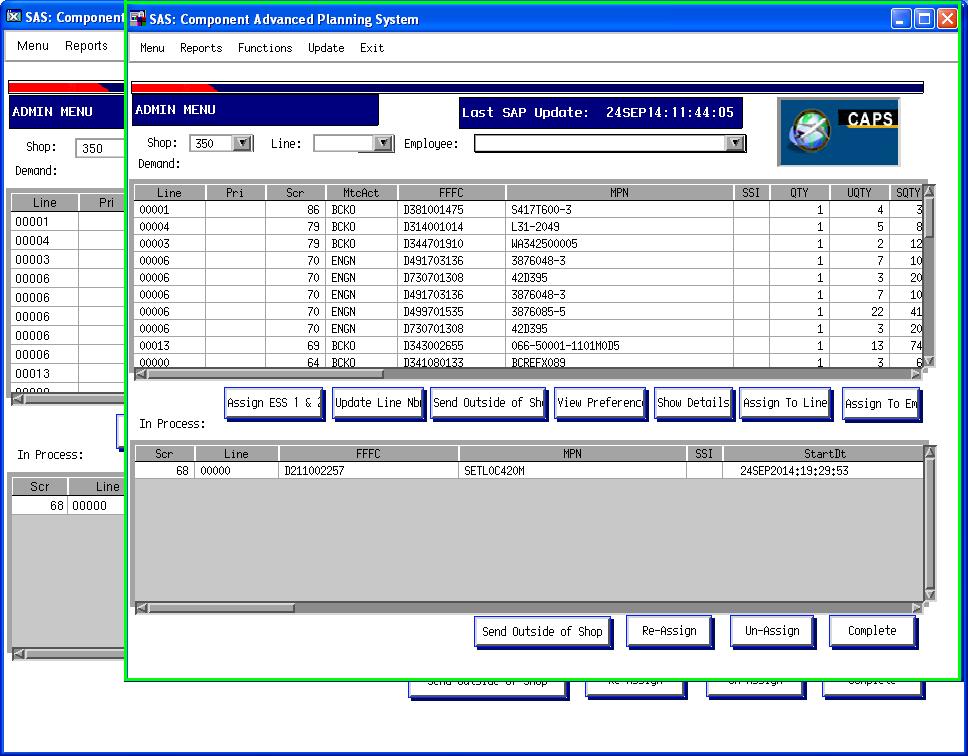
Debby Clements


- Mark as New
- Bookmark
- Subscribe
- Mute
- RSS Feed
- Permalink
- Report Inappropriate Content
The SAS version is different the server side not. Do you use a terminal with a X11 server? (seems for me that way)
Than there is possible something with X settings in your new SAS profile. SAS(R) 9.3 Companion for UNIX Environments

- Mark as New
- Bookmark
- Subscribe
- Mute
- RSS Feed
- Permalink
- Report Inappropriate Content
It looks like the font size is smaller. There was a font change with 9.3.
Talk to Tech Support about what you need to do.
- Mark as New
- Bookmark
- Subscribe
- Mute
- RSS Feed
- Permalink
- Report Inappropriate Content
I was able to solve this by changing the font to -xrm 'SAS.systemFont:-Adobe-Helvetica-Medium-R-Normal--12-120-75-75-P-67-ISO8859-1 -
I posted this message in several communities, hoping someone would see it that might could help me.
Thanks!

Call for content now open!
It's your turn to help shape SAS Innovate 2027. Share your expertise and inspire the SAS community.
Learn how use the CAT functions in SAS to join values from multiple variables into a single value.

Find more tutorials on the SAS Users YouTube channel.
SAS Training: Just a Click Away
Ready to level-up your skills? Choose your own adventure.
-
3 replies
-
09-30-2014 12:48 PM
-
3735 views
-
1 like
-
3 in conversation
-


