- Home
- /
- Programming
- /
- SAS Studio
- /
- newbie to SAS Studio. ODS sometimes give rows, sometimes just header...
- RSS Feed
- Mark Topic as New
- Mark Topic as Read
- Float this Topic for Current User
- Bookmark
- Subscribe
- Mute
- Printer Friendly Page


- Mark as New
- Bookmark
- Subscribe
- Mute
- RSS Feed
- Permalink
- Report Inappropriate Content
File: my.sas
x "sas9 /mktg/mrq/jpruett/juanita.sas &"; run;
File: juanita.sas
libname here '/mktg/mrq/jpruett/.'; run;
ods csv file="/mktg/mrq/jpruett/ods_csv.csv";
proc print data=here.dom_rev;
run;
ods csv close;
Test 1: From Solaris:
mktpricing:/mrq/jpruett % sas9 my.sas
mktpricing:/mrq/jpruett % cat *.csv
"Obs","CUST_NBR","rev"
"1",378510490,"."
"2",522856401,"."
"3",525331199,"."
"4",684611763,"."
"5",826893206,"."
"6",836789067,"."
"7",864120008,"."
"8",865098006,"."
"9",902191429,"."
Test 2: From SAS Studio. I click to run my.sas
Then in Unix I do the following:
mktpricing:/mrq/jpruett % cat *.csv
"Obs","CUST_NBR","rev"
There are no rows!, just header... ;-( Any ideas???
Accepted Solutions
- Mark as New
- Bookmark
- Subscribe
- Mute
- RSS Feed
- Permalink
- Report Inappropriate Content
Mark closed please.
I no longer care about this.
Explaination:
I need to run 10 minute queries. My impression was that SasStudio was a normal webpage which timed out in 2 minutes (most do).
But people tell me it isn't like that, and it will run forever and not hang.
So I did a 10 minute test and indeed it ran for 10 minutes and then finished gracefully. (Its nice to watch the bottom left corner to see progress, so I know it isn't hanging...)
Anyway, I no longer need the "X " command.


- Mark as New
- Bookmark
- Subscribe
- Mute
- RSS Feed
- Permalink
- Report Inappropriate Content
Maxim 2: Read the log.
A SAS batch run will leave a corresponding log. Inspect the log from the sas batch you called with the X statement (juanita.log).
- Mark as New
- Bookmark
- Subscribe
- Mute
- RSS Feed
- Permalink
- Report Inappropriate Content
where does sas studio put logs called from "X " ?
I dont see it.
thanks for helping! I am dumbfounded on this one.
- Mark as New
- Bookmark
- Subscribe
- Mute
- RSS Feed
- Permalink
- Report Inappropriate Content
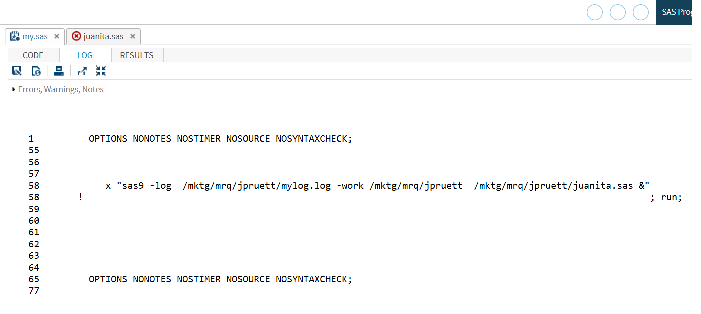
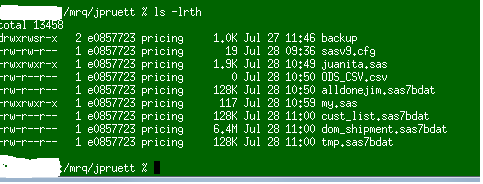
The logs are only available in SAS-STUDIO. Even though I gave a path for the logs, it doesn't honor it.
Q: Where does SAS-Studio put the logs (besides in a web page) ?
- Mark as New
- Bookmark
- Subscribe
- Mute
- RSS Feed
- Permalink
- Report Inappropriate Content
I am trying to create excel and email it to me.
My approach may not work.
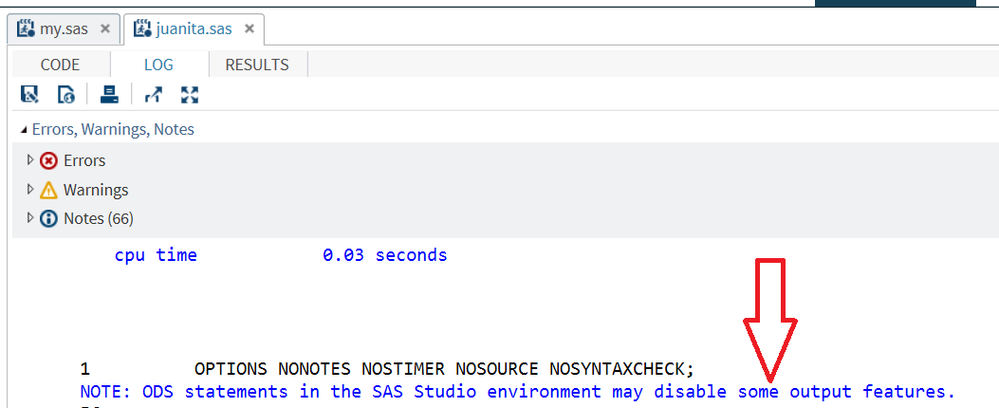
Q: Is there another way to do it? Below says "ODS will ruin my life". What should I do instead in SAS-STUDIO?
Thanks
- Mark as New
- Bookmark
- Subscribe
- Mute
- RSS Feed
- Permalink
- Report Inappropriate Content
@cellurl wrote:
where does sas studio put logs called from "X " ?
I dont see it.
thanks for helping! I am dumbfounded on this one.
These usually are put in the current working directory of the SAS workspace server, from which the X is executed.
Try adding a defined path for the log with -log.
Also use the filename pipe method for calling external commands:
filename oscmd pipe "sas /path/program.sas -log /path/program.log 2>&1";

data _null_;
infile oscmd;
input;
put _infile_;
run;

filename oscmd clear;
All messages from the OS will end up in the SAS log, so you can see if the batch run fails completely.
- Mark as New
- Bookmark
- Subscribe
- Mute
- RSS Feed
- Permalink
- Report Inappropriate Content
no joy.
To recall:
----In Unix it works great. I get csv file emailed to me aok--------
sas9 my.sas
----In Sas studio, I click on RUN for my.sas and it runs, but the ODS fails and I get no email. I don't see any log.
I think sas studio doesnt allow changing path of logs, so I don't know how ODS fails.
I also tried
libname out xlsx '/mktg/mrq/jpruett/file.xlsx'; run;
but that errored saying: "XLSX" engine not avail or something like that.
- Mark as New
- Bookmark
- Subscribe
- Mute
- RSS Feed
- Permalink
- Report Inappropriate Content
Mark closed please.
I no longer care about this.
Explaination:
I need to run 10 minute queries. My impression was that SasStudio was a normal webpage which timed out in 2 minutes (most do).
But people tell me it isn't like that, and it will run forever and not hang.
So I did a 10 minute test and indeed it ran for 10 minutes and then finished gracefully. (Its nice to watch the bottom left corner to see progress, so I know it isn't hanging...)
Anyway, I no longer need the "X " command.

Catch up on SAS Innovate 2026
Nearly 200 sessions are now available on demand with the SAS Innovate Digital Pass.
Explore Now →Get started using SAS Studio to write, run and debug your SAS programs.

Find more tutorials on the SAS Users YouTube channel.
SAS Training: Just a Click Away
Ready to level-up your skills? Choose your own adventure.
-
7 replies
-
07-27-2017 03:08 PM
-
3354 views
-
0 likes
-
2 in conversation
-

