- Home
- /
- Programming
- /
- SAS Studio
- /
- Re: ERROR: The following columns were not found in the contributing ta...
- RSS Feed
- Mark Topic as New
- Mark Topic as Read
- Float this Topic for Current User
- Bookmark
- Subscribe
- Mute
- Printer Friendly Page


- Mark as New
- Bookmark
- Subscribe
- Mute
- RSS Feed
- Permalink
- Report Inappropriate Content
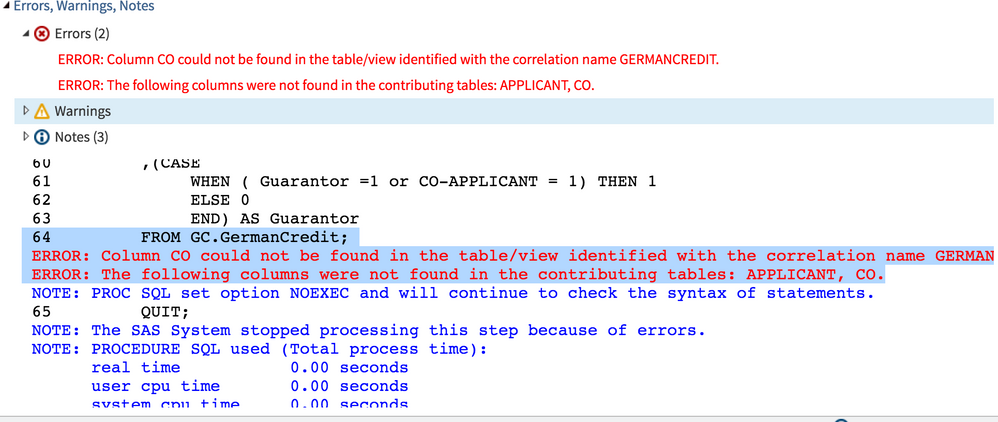
can anyone help to look at below log, i do not know where is the problem.
PROC SQL;
CREATE TABLE GC.GermanCredit_Guanantor
AS
SELECT GermanCredit.Guarantor,GermanCredit.CO-APPLICANT
,(CASE
WHEN ( Guarantor =1 or CO-APPLICANT = 1) THEN 1
ELSE 0
END) AS Guarantor
FROM GC.GermanCredit;
QUIT;


- Mark as New
- Bookmark
- Subscribe
- Mute
- RSS Feed
- Permalink
- Report Inappropriate Content
GermanCredit.CO-APPLICANT -> this is not a valid variable name. It's either an underscore or possibly GermanCredit.'CO-APPLICANT'n
Run a proc contents on the dataset and see what the variable name is.
- Mark as New
- Bookmark
- Subscribe
- Mute
- RSS Feed
- Permalink
- Report Inappropriate Content
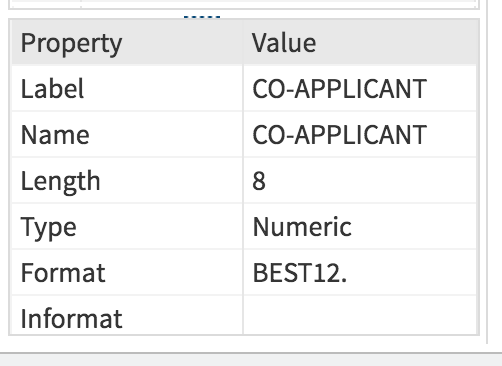
but in the data, it does show as CO-APPLICANT, see attached screen shot.
- Mark as New
- Bookmark
- Subscribe
- Mute
- RSS Feed
- Permalink
- Report Inappropriate Content
Then it's the second option I indicated with quotes.
You need to reference it as a name literal.
See details here
- Mark as New
- Bookmark
- Subscribe
- Mute
- RSS Feed
- Permalink
- Report Inappropriate Content
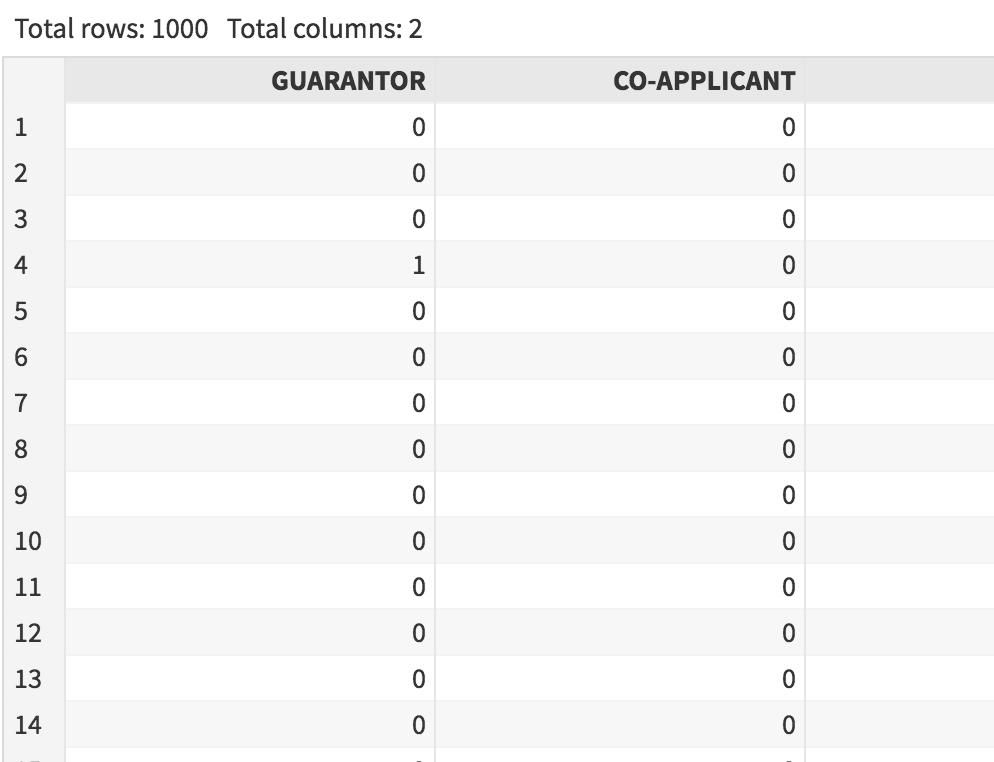
i tried it, but it does not show what i want, it still shows as tow columns, not merge to be one column.
what i want it either column shows '1', then it shows results as '1, else'0', but as you can see it does not even merge to be one column.
- Mark as New
- Bookmark
- Subscribe
- Mute
- RSS Feed
- Permalink
- Report Inappropriate Content
Your CASE statement is incorrect, you can't have two variables with the same name in a data step.
I'm surprised the log doesn't have any errors.
Post your corrected code and log please.
To correct your CASE add the alias for each variable and give it a new, unique name.
- Mark as New
- Bookmark
- Subscribe
- Mute
- RSS Feed
- Permalink
- Report Inappropriate Content
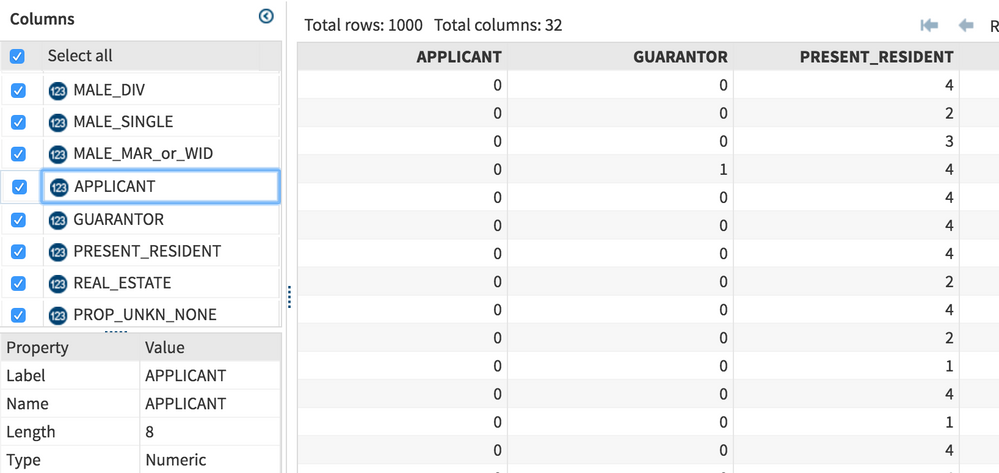
i change the name to be APPLICANT, and tried to run the log again, but still it shows error.
- Mark as New
- Bookmark
- Subscribe
- Mute
- RSS Feed
- Permalink
- Report Inappropriate Content
What error? I don't see any error in your code or log.
- Mark as New
- Bookmark
- Subscribe
- Mute
- RSS Feed
- Permalink
- Report Inappropriate Content
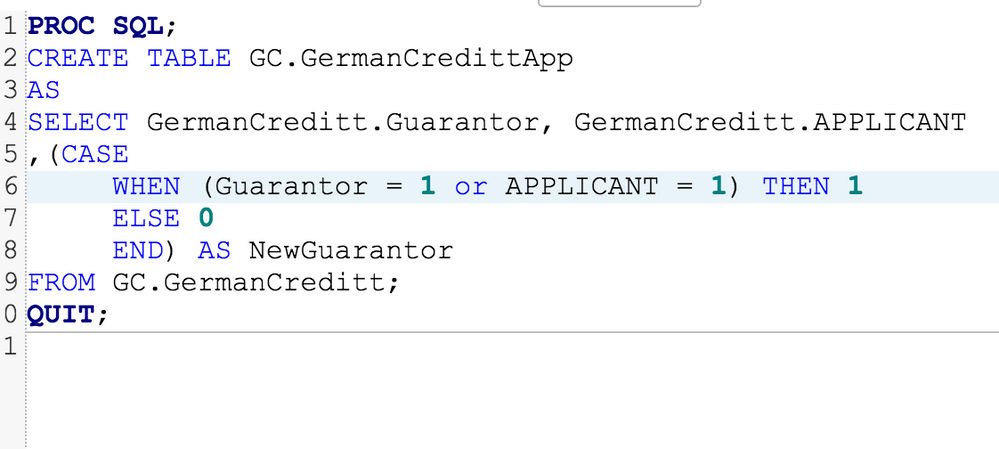
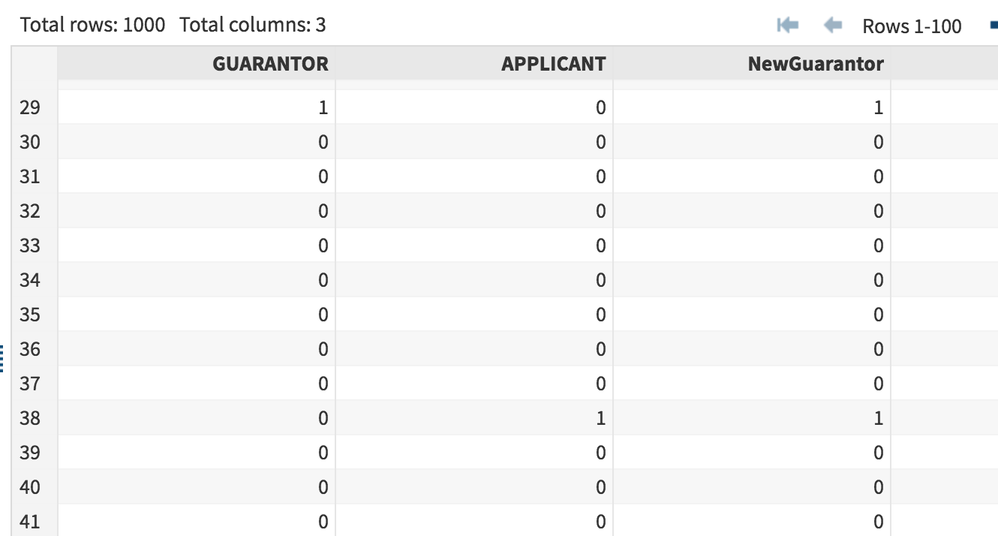
i got your point, i shall change it to be AS NewGuarantor, otherwise it is the same as the data variable, it works now, appreciate your help!!
PROC SQL;
CREATE TABLE GC.GermanCredittApp
AS
SELECT GermanCreditt.Guarantor, GermanCreditt.APPLICANT
,(CASE
WHEN (Guarantor = 1 or APPLICANT = 1) THEN 1
ELSE 0
END) AS NewGuarantor
FROM GC.GermanCreditt;
QUIT;
- Mark as New
- Bookmark
- Subscribe
- Mute
- RSS Feed
- Permalink
- Report Inappropriate Content
i got your point, i shall change it to be AS NewGuarantor, otherwise it is the same as the data variable, it works now, appreciate your help!!
PROC SQL;
CREATE TABLE GC.GermanCredittApp
AS
SELECT GermanCreditt.Guarantor, GermanCreditt.APPLICANT
,(CASE
WHEN (Guarantor = 1 or APPLICANT = 1) THEN 1
ELSE 0
END) AS NewGuarantor
FROM GC.GermanCreditt;
QUIT;

Catch up on SAS Innovate 2026
Nearly 200 sessions are now available on demand in the Innovate Hub.
Watch Now →Get started using SAS Studio to write, run and debug your SAS programs.

Find more tutorials on the SAS Users YouTube channel.
SAS Training: Just a Click Away
Ready to level-up your skills? Choose your own adventure.
-
9 replies
-
11-27-2016 01:58 AM
-
8345 views
-
0 likes
-
2 in conversation
-


