- Home
- /
- Programming
- /
- ODS Reports
- /
- Tagsets.excelxp I want to merge down
- RSS Feed
- Mark Topic as New
- Mark Topic as Read
- Float this Topic for Current User
- Bookmark
- Subscribe
- Mute
- Printer Friendly Page


- Mark as New
- Bookmark
- Subscribe
- Mute
- RSS Feed
- Permalink
- Report Inappropriate Content
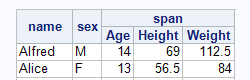
I want my first two column headers to look like this as done by tagsets.sasreport13.
With tagsets.excelxp I get this.
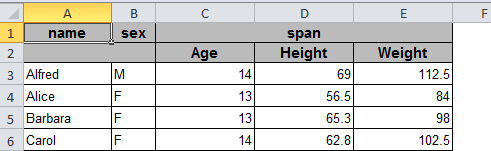 I
I
I can merge it myself and save it and see the following but I don't know if I can get this with options in tagsets.excelxp
<Row ss:AutoFitHeight="0">
<Cell ss:MergeDown="1" ss:StyleID="m47835816"><Data ss:Type="String">name</Data></Cell>
<Cell ss:MergeDown="1" ss:StyleID="m47835836"><Data ss:Type="String">sex</Data></Cell>
<Cell ss:MergeAcross="2" ss:StyleID="m47835776"><Data ss:Type="String">span</Data></Cell>
</Row>
Forgot to add the code:
proc report data=sashelp.class;
column
("name" name)
('sex' sex)
('span' age height weight);
define name / ' ';
define sex / ' ';
run;
ods tagsets.excelxp close;
Message was edited by: data _null_


- Mark as New
- Bookmark
- Subscribe
- Mute
- RSS Feed
- Permalink
- Report Inappropriate Content
As fas as I know, You can't . The only way I can think is changing XML source code.
Maybe Cynthia could have a solution.
Xia Keshan


- Mark as New
- Bookmark
- Subscribe
- Mute
- RSS Feed
- Permalink
- Report Inappropriate Content
Hi:
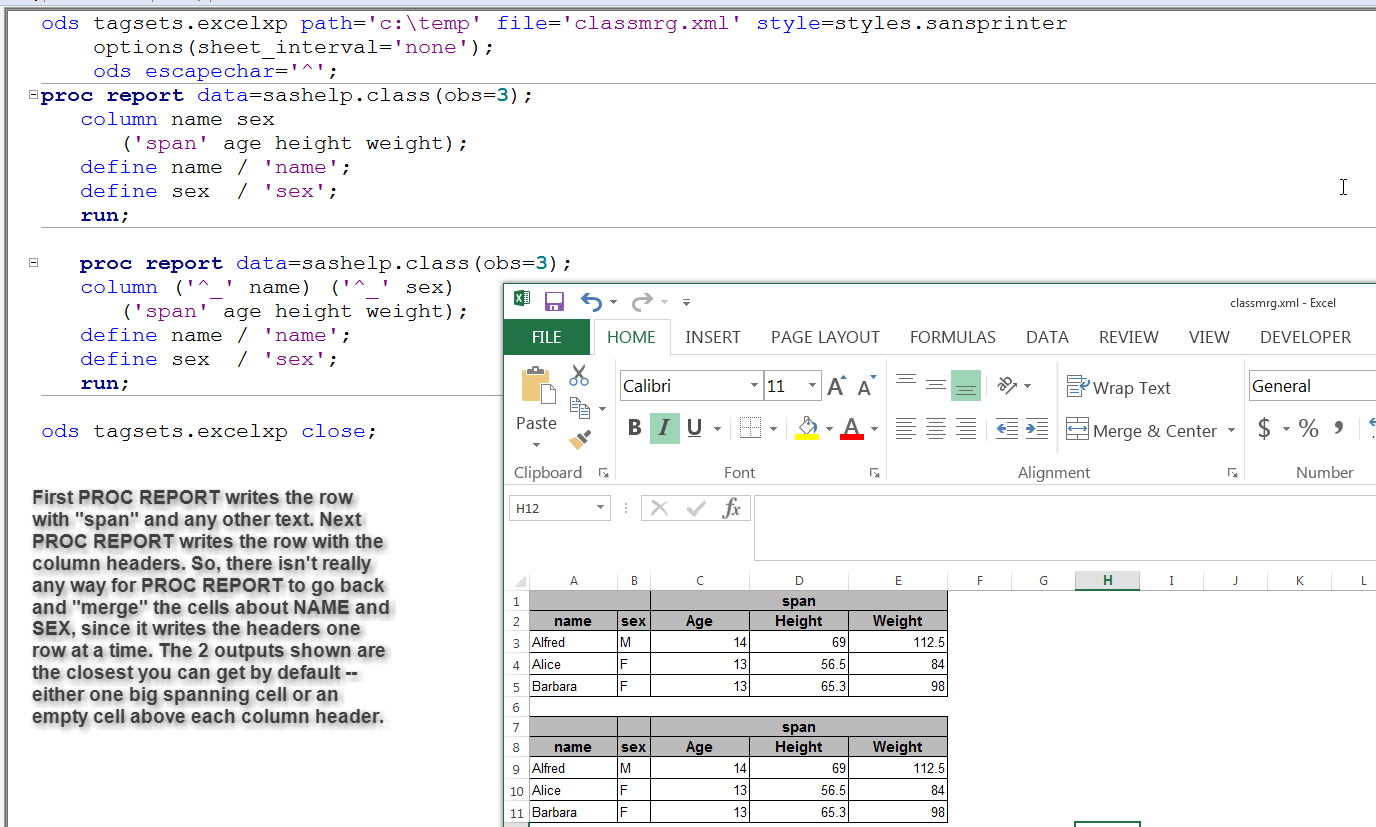
PROC REPORT does NOT merge header cells. PROC REPORT writes one report row at a time. So when it is writing the row which needs to contain "span", PROC REPORT has no visibility of any rows that came before or any rows to come after. So you will not be able to achieve the "merged" header the way you envision. TAGSETS.SASREPORT13 is the default ODS destination for Enterprise Guide. It is SASReport XML and is not like TAGSETS.EXCELXP. So you can't compare how they work or ask one to work like the other.
This is the closes you get using PROC REPORT and TAGSETS.EXCELXP.
cynthia

Catch up on SAS Innovate 2026
Nearly 200 sessions are now available on demand in the Innovate Hub.
Watch Now →Learn how use the CAT functions in SAS to join values from multiple variables into a single value.

Find more tutorials on the SAS Users YouTube channel.
SAS Training: Just a Click Away
Ready to level-up your skills? Choose your own adventure.
-
2 replies
-
04-09-2015 12:41 PM
-
2362 views
-
0 likes
-
3 in conversation
-

