- Home
- /
- Programming
- /
- ODS Reports
- /
- SERIESPLOT in PROC TEMPLATE: breaks in lines for missing values are ne...
- RSS Feed
- Mark Topic as New
- Mark Topic as Read
- Float this Topic for Current User
- Bookmark
- Subscribe
- Mute
- Printer Friendly Page


- Mark as New
- Bookmark
- Subscribe
- Mute
- RSS Feed
- Permalink
- Report Inappropriate Content
Hi folks,
I can't understand the behaviour of SAS PROC TEMPLATE in the following situation.
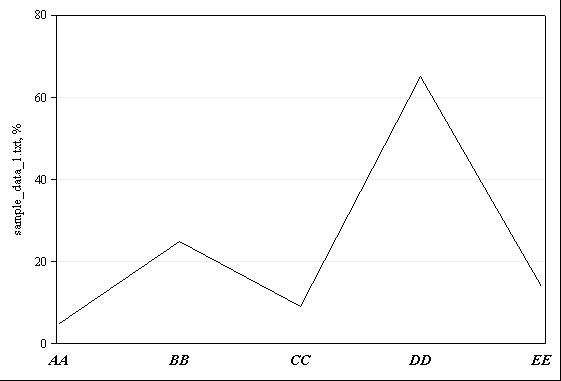
When I use the following data set:
ExpID;AA;BB;CC;DD;EE
1;5;25;9;65;14
the output as in the 1.jpg file.
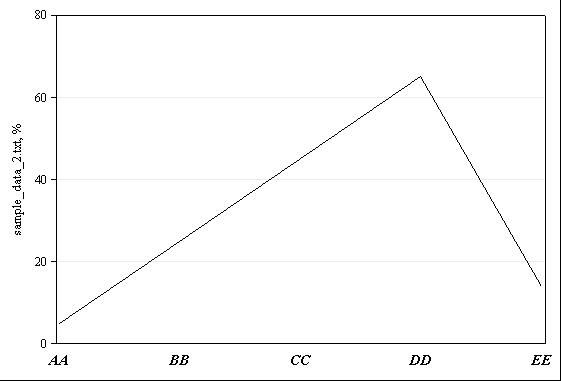
But when I have missing values:
ExpID;AA;BB;CC;DD;EE
1;5;25; ;65;14
there is no relevant break in the curve (2.jpg).
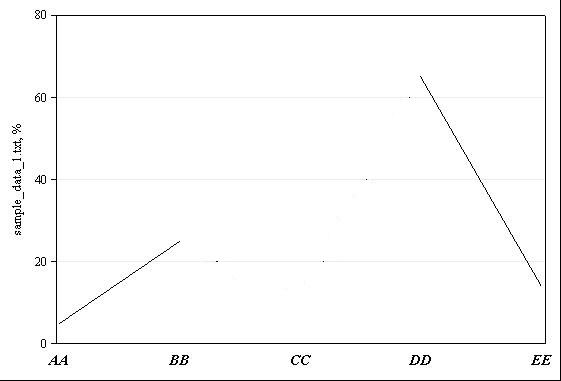
How to do this like in the 3.jpg file?
To produce the lines I use the following code:
SERIESPLOT
X = ...
Y = ... / ... LINEATTRS = (PATTERN = SOLID COLOR = BLACK);
Thank you.
Accepted Solutions


- Mark as New
- Bookmark
- Subscribe
- Mute
- RSS Feed
- Permalink
- Report Inappropriate Content
Hi:
With the SGPLOT procedure, the option is BREAK:
proc sgplot data=whatever;
series x=xvar y=yvar / break markers datalabel;
run;
So, I suspect that with PROC TEMPLATE, it will be a BREAK option on the SERIESPLOT statement. And, indeed, if you check the documentation, since the options are listed in alpha order, you will find what you need in the doc:
SAS(R) 9.4 Graph Template Language: Reference, Second Edition
cynthia
- Mark as New
- Bookmark
- Subscribe
- Mute
- RSS Feed
- Permalink
- Report Inappropriate Content
Hi:
With the SGPLOT procedure, the option is BREAK:
proc sgplot data=whatever;
series x=xvar y=yvar / break markers datalabel;
run;
So, I suspect that with PROC TEMPLATE, it will be a BREAK option on the SERIESPLOT statement. And, indeed, if you check the documentation, since the options are listed in alpha order, you will find what you need in the doc:
SAS(R) 9.4 Graph Template Language: Reference, Second Edition
cynthia
- Mark as New
- Bookmark
- Subscribe
- Mute
- RSS Feed
- Permalink
- Report Inappropriate Content
Thank you  .
.

Catch up on SAS Innovate 2026
Nearly 200 sessions are now available on demand with the SAS Innovate Digital Pass.
Explore Now →Learn how use the CAT functions in SAS to join values from multiple variables into a single value.

Find more tutorials on the SAS Users YouTube channel.
SAS Training: Just a Click Away
Ready to level-up your skills? Choose your own adventure.
-
2 replies
-
12-29-2013 12:44 PM
-
3584 views
-
1 like
-
2 in conversation
-


