- Home
- /
- Programming
- /
- ODS Reports
- /
- How i can remove the border lines generated by cross tab(by grouped & ...
- RSS Feed
- Mark Topic as New
- Mark Topic as Read
- Float this Topic for Current User
- Bookmark
- Subscribe
- Mute
- Printer Friendly Page


- Mark as New
- Bookmark
- Subscribe
- Mute
- RSS Feed
- Permalink
- Report Inappropriate Content
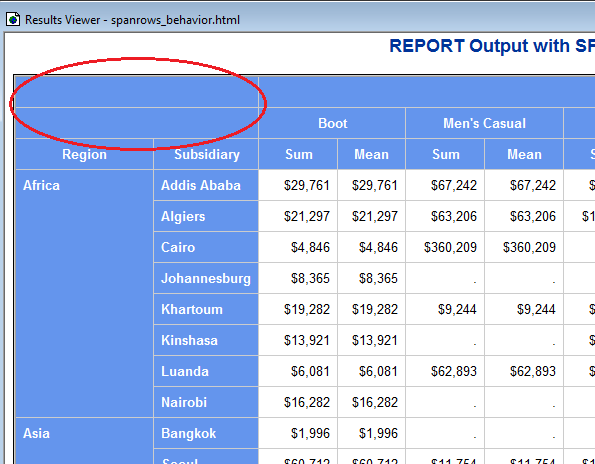
I want to remove the border line above the column (Region and Subsidiary) using Proc report without proc tabulate.
ods html file='c:\temp\spanrows_behavior.html' style=sasweb;
proc report data=sashelp.shoes nowd SPANROWS;
title 'REPORT Output with SPANROWS';
column region subsidiary product,(sales sales=savg);
define region / group
style(column)=Header;
define subsidiary / group
style(column)=Header;
define product / across 'Product Sales';
define sales / sum 'Sum' f=dollar10.;
define savg / mean 'Mean' f=dollar10.;
rbreak after / summarize style=Header;
run;
ods html close;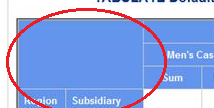


- Mark as New
- Bookmark
- Subscribe
- Mute
- RSS Feed
- Permalink
- Report Inappropriate Content
Hi:
The major difference between TABULATE and REPORT is the TABULATE BOX area that separates the column dimension headers from the row dimension headers. The screen shot you attached looks like TABULATE output. When you run your PROC REPORT code, the borderlines, as you call them, are evident as shown here:
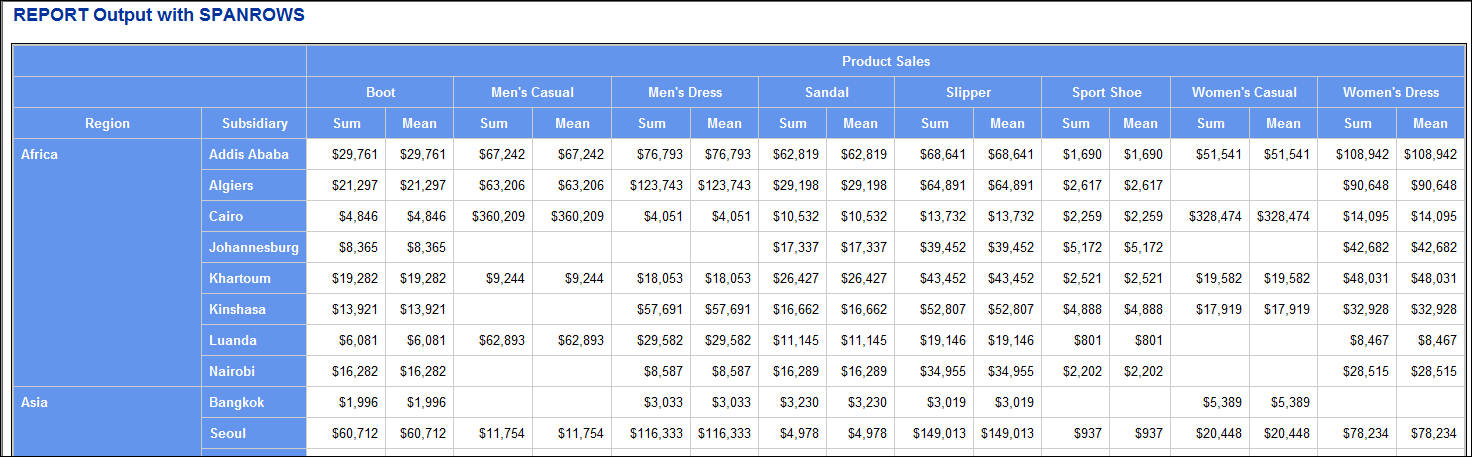
...because PROC REPORT does not treat the area above REGION or SUBSIDIARY columns in a way that is "different" from the other headers. The fact that you have nested ACROSS items means that part of your header area needs 3 header rows for all the header cells. That will automatically put 2 blank rows above REGION and SUBSIDIARY variables. You might be able to get rid of the borders above ALL the header cells and ALL the data cells by changing the style(report) or changing the style template, or there might be a CSS way to do it. But if you want the TABULATE box area, then it would be better to use TABULATE.
cynthia
- Mark as New
- Bookmark
- Subscribe
- Mute
- RSS Feed
- Permalink
- Report Inappropriate Content
Thanks Cyntia,
Actually i have 4 level of across dimension and it is showing 4 blank above the grouped variables.I tried alot to remove those by proc report but unfortunately didn't happen.Yes from style we can hide those.Just wanted to confirm if that can be done from Proc report and now it is cleared.With proc tabulate the output is perfect.

Catch up on SAS Innovate 2026
Nearly 200 sessions are now available on demand with the SAS Innovate Digital Pass.
Explore Now →Learn how use the CAT functions in SAS to join values from multiple variables into a single value.

Find more tutorials on the SAS Users YouTube channel.
SAS Training: Just a Click Away
Ready to level-up your skills? Choose your own adventure.
-
2 replies
-
01-15-2017 02:43 PM
-
3360 views
-
0 likes
-
2 in conversation
-


